
Understanding News & Release Analytics
Learn how to review News and Release Analytics in Widgion to understand engagement with published announcements, monitor content performance, and identify ways to improve how updates reach your audience.
News & Release Analytics helps you understand how visitors interact with your News & Release widget. From this dashboard, you can monitor searches, evaluate search performance, review user reactions, and identify which news articles receive positive or negative feedback.
Accessing News & Release Analytics
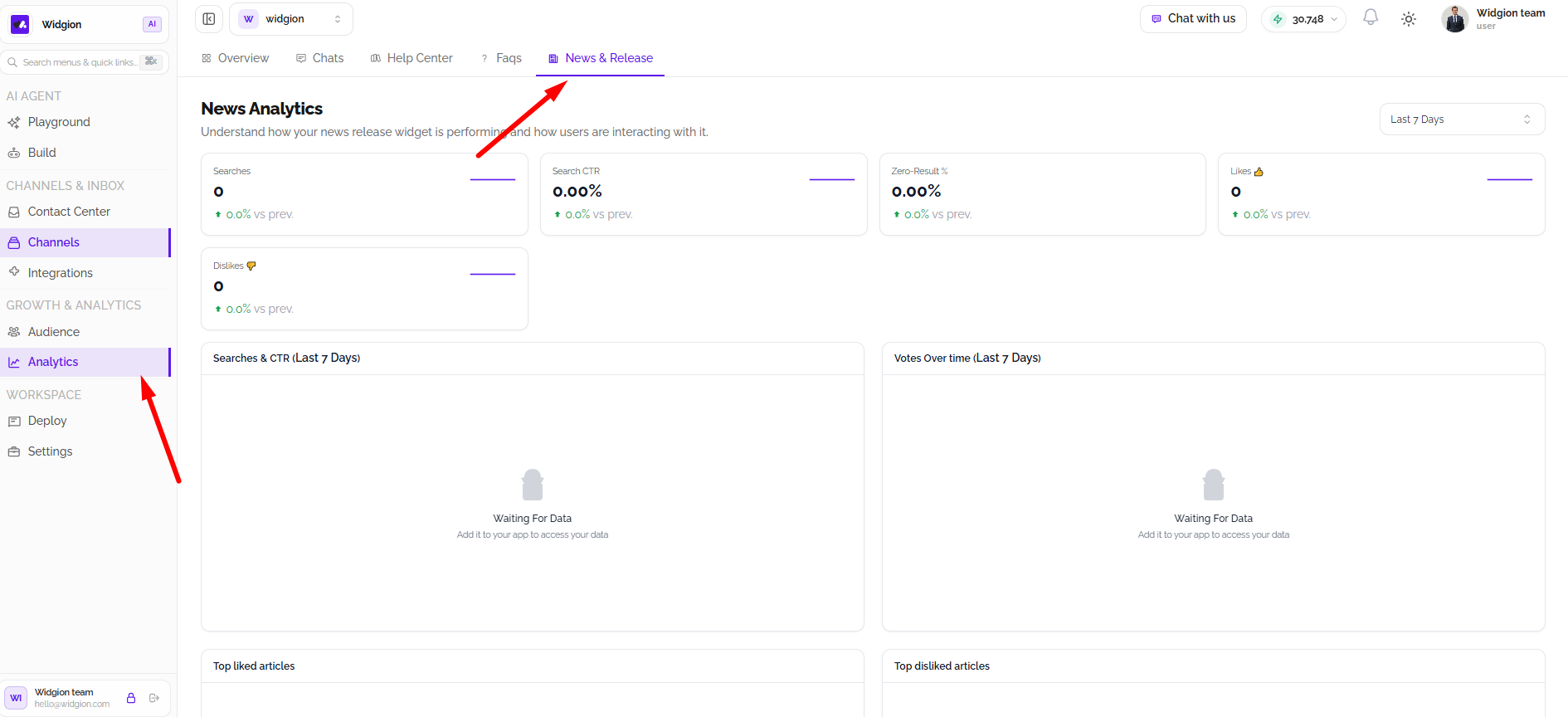
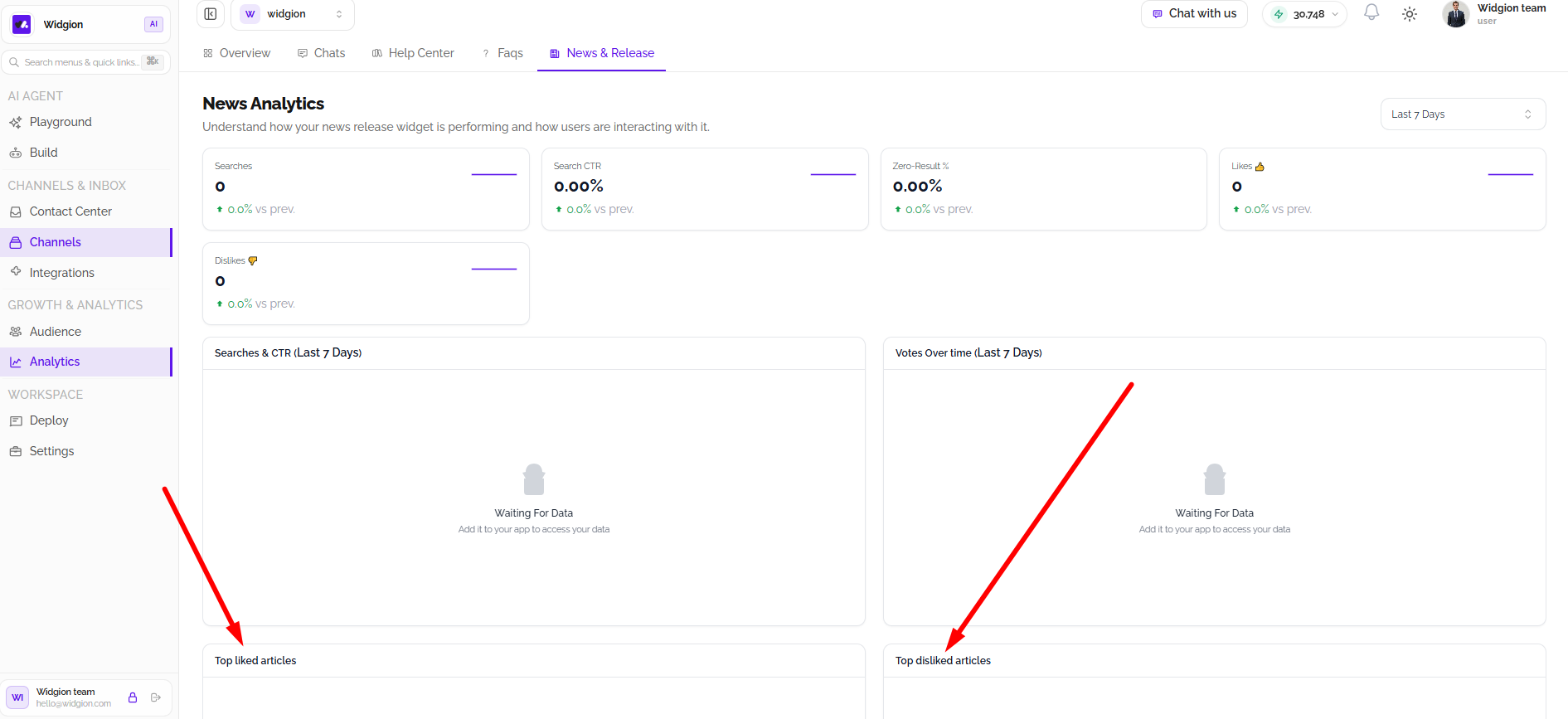
Navigate to Analytics from the left sidebar. From the analytics dashboard, select News & Release in the top navigation. The page displays the News Analytics dashboard, with an overview of search activity and user engagement.
Selecting an Analytics Date Range
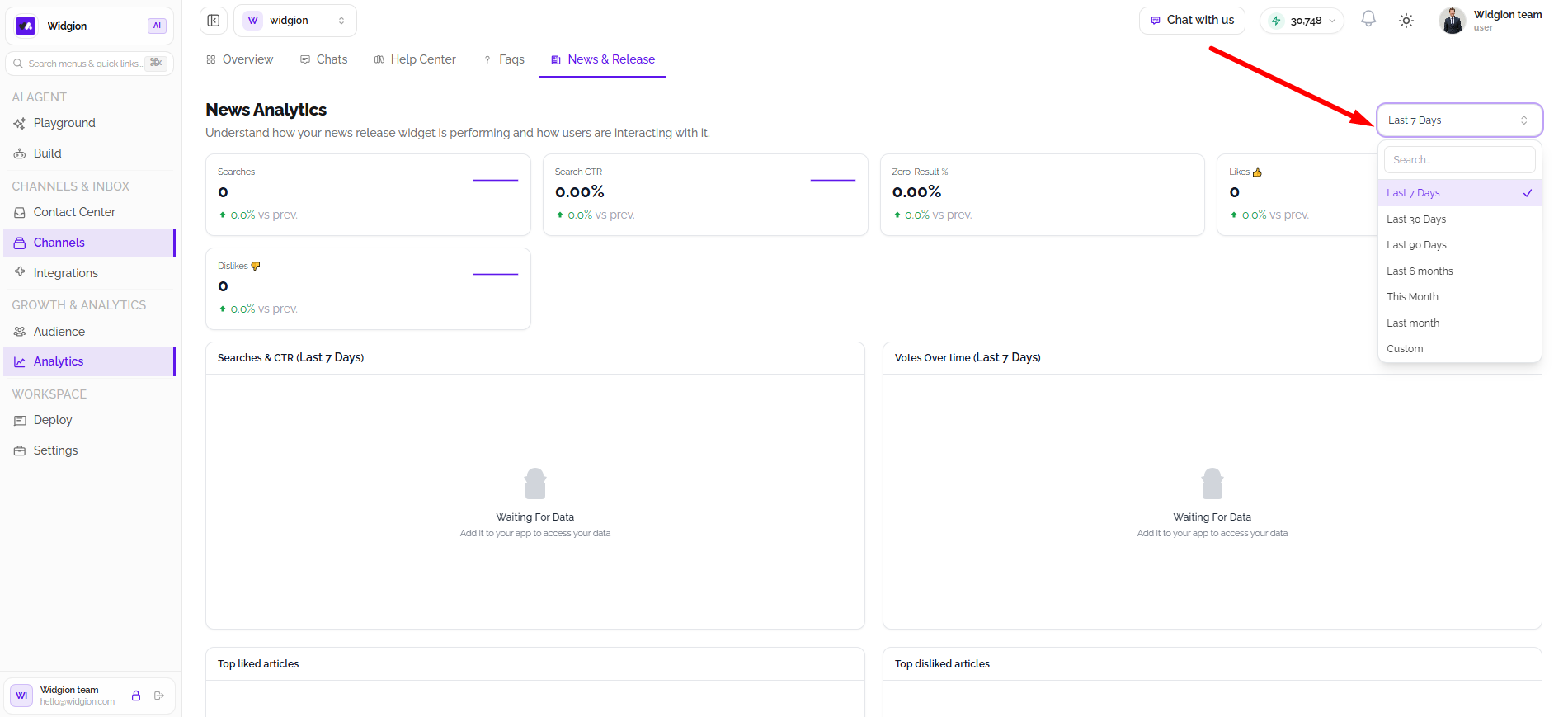
Use the date range selector in the upper-right corner to choose the period you want to analyze. Available options include Last 7 Days, Last 30 Days, Last 90 Days, Last 6 Months, This Month, Last Month, and Custom.
Selecting a date range updates the dashboard to reflect activity within that period. Choose Custom when you need to review a specific timeframe.
Reviewing News Analytics Metrics
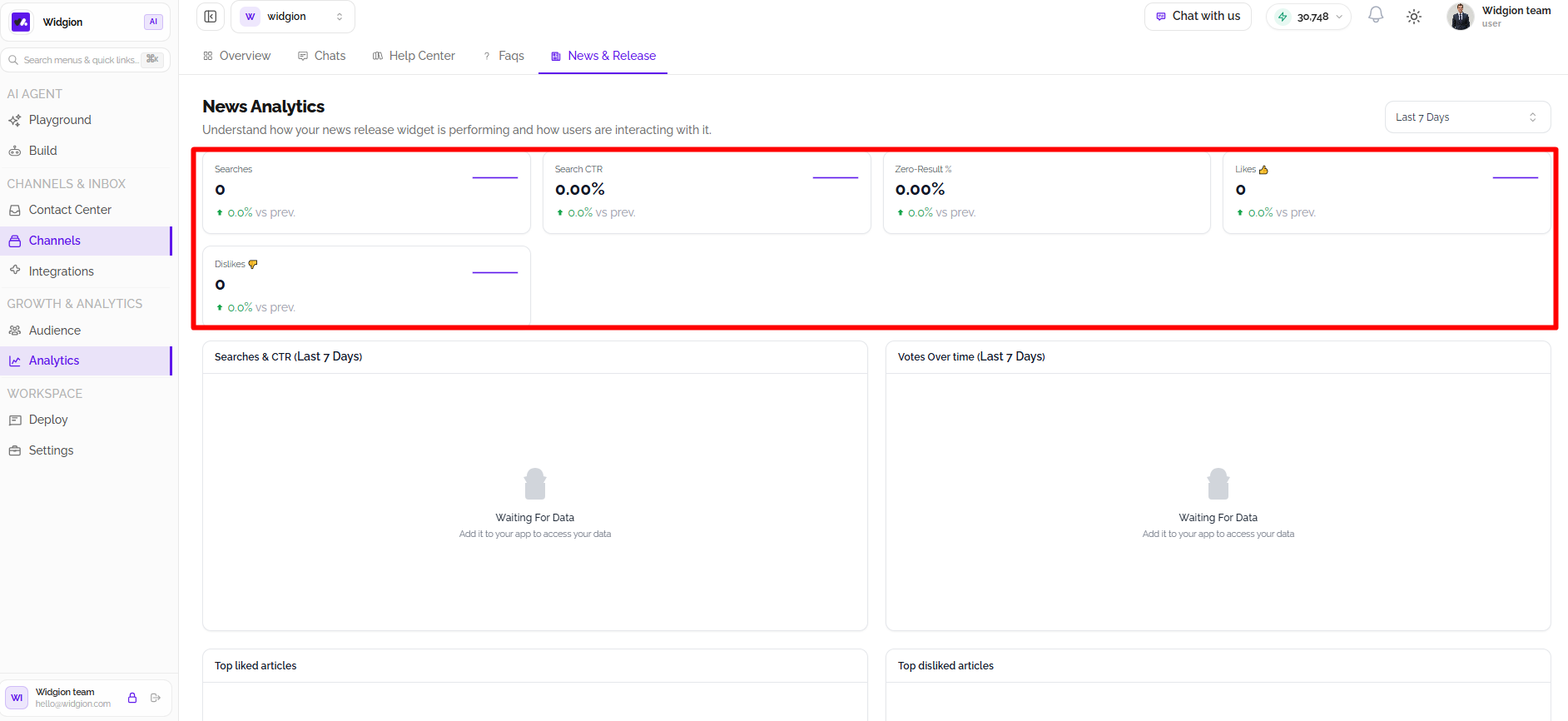
The dashboard displays key metrics that provide an overview of how visitors use the News & Release widget.
Searches shows the number of searches performed. Search CTR represents the search click-through rate, while Zero-Result % indicates the percentage of searches that returned no results. The Likes and Dislikes metrics show the number of positive and negative reactions received.
Analyzing Search Activity and Votes
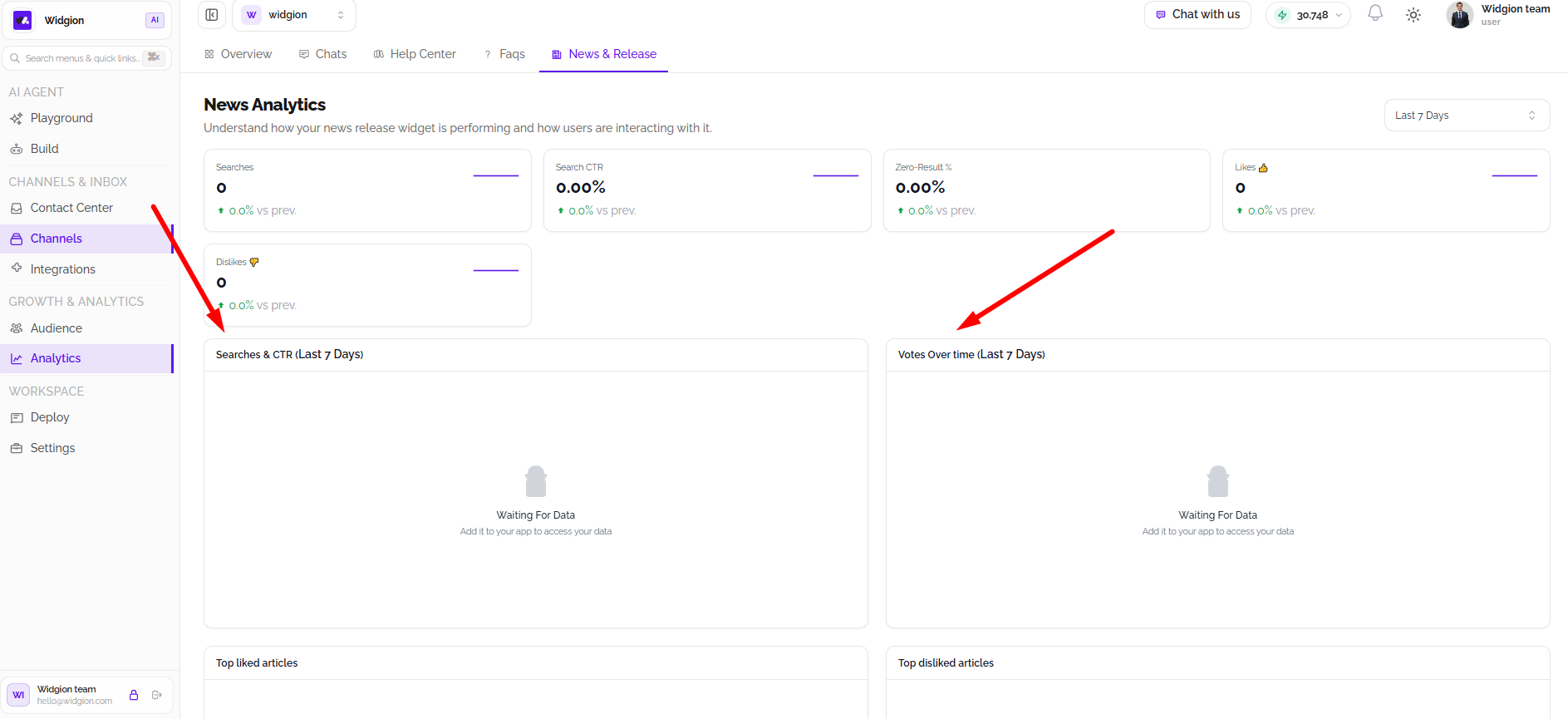
The Searches & CTR chart displays search activity and click-through rate over the selected period. Use it to understand how search engagement changes over time.
The Votes Over time chart provides a view of user feedback across the selected period. Together, these charts help you evaluate search performance and visitor reactions to your news content.
Reviewing the Most and Least Liked Articles
The Top liked articles section highlights news articles that receive positive feedback. Reviewing these articles can help you identify content that visitors find useful or engaging.
The Top disliked articles section highlights articles receiving negative feedback. Use these results to review content that may need improvement or clarification.
Using Analytics to Improve News Content
Use News & Release Analytics to monitor search behavior, evaluate engagement, and understand how visitors respond to your published content. Reviewing these metrics regularly can help you identify content gaps and make informed improvements to your News & Release widget.
Making the Most of News & Release Analytics
Choose a relevant date range and review the key metrics, charts, and article feedback to understand how your content is performing. As more visitor activity is recorded, these insights can help guide updates to your news content and improve the overall experience.
Did this answer your question?
What was missing or unclear?
Thank you for your feedback!
Your input helps us make this article better.
Still need help?
Contact support →Related articles
Exploring the Analytics Overview Dashboard
Learn how to navigate Widgion Analytics, understand the key performance metrics available in your workspace, and use analytics data to evaluate your AI assistant’s performance and customer interactions.
Understanding Chat Agent Analytics
Discover how to use Agent Analytics in Widgion to review your AI assistant’s activity, evaluate interaction performance, and identify opportunities to improve customer experiences.
Understanding Knowledge Base Analytics
Learn how to review Knowledge Base Analytics to understand how your knowledge sources support the AI assistant and identify opportunities to improve the information available to customers.
Installing the Chat Widget on Your Website
Step-by-step guide to embedding the chat widget on your website.
On this page