
Classic vs Modern Chat Widget
Compare both widget types and choose the best option for your business needs.
Widgion offers two chat layout styles — Classic and Modern — each designed to support different interaction experiences. Both layouts use the same underlying AI and content system, but they differ in how users navigate, interact, and access support within the widget.
The choice between them depends on how you want users to engage with your support, whether through a traditional conversation flow or a more guided, structured interface.
Classic Chat Widget
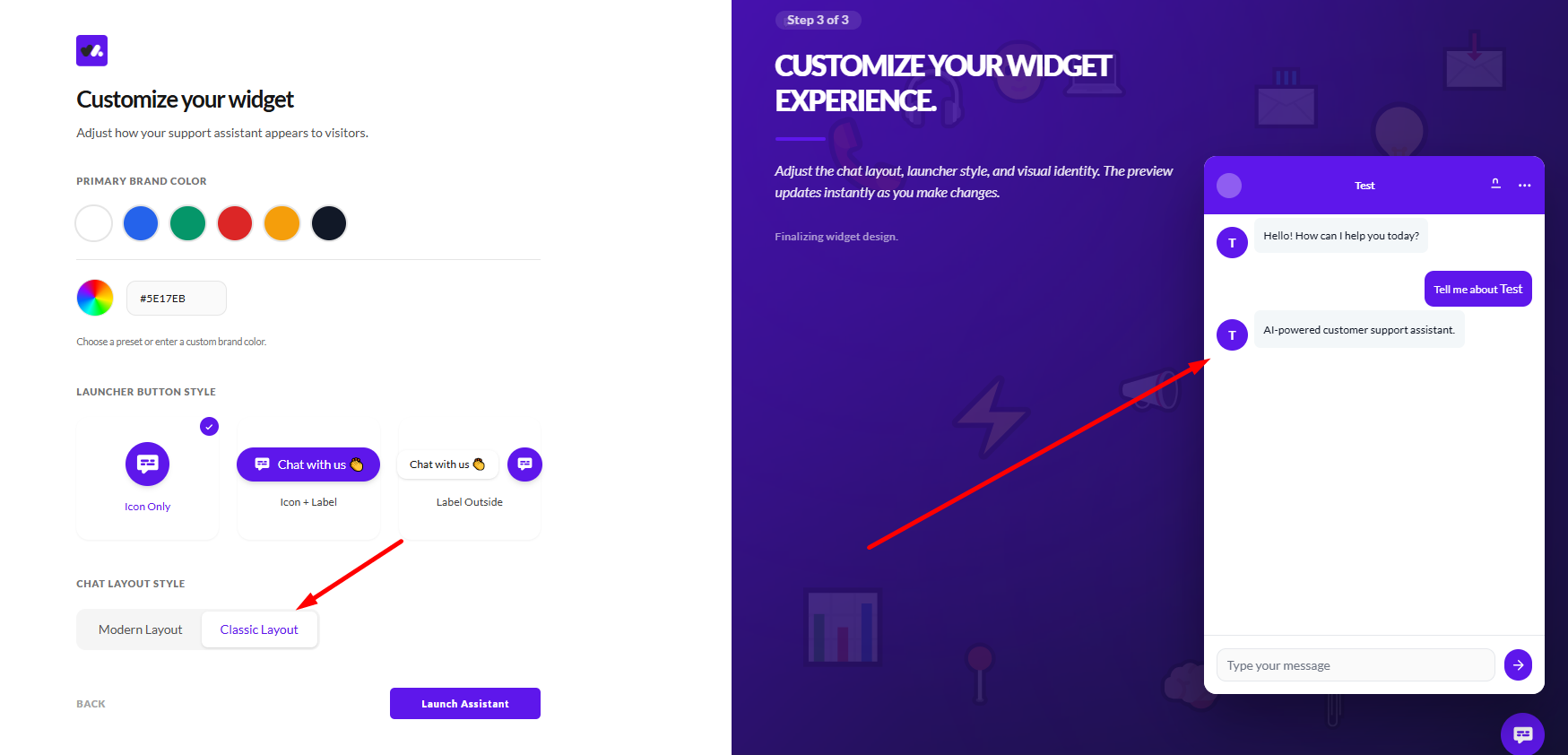
The Classic layout provides a familiar, conversation-focused experience where users interact directly through a chat interface. It follows a simple message-based flow, allowing users to type questions freely and receive responses in a continuous conversation.
This layout is ideal when you want a straightforward chat experience that feels natural and flexible. It works best for use cases where users prefer direct interaction, such as asking specific questions or having back-and-forth conversations with your AI assistant.
Modern Chat Widget
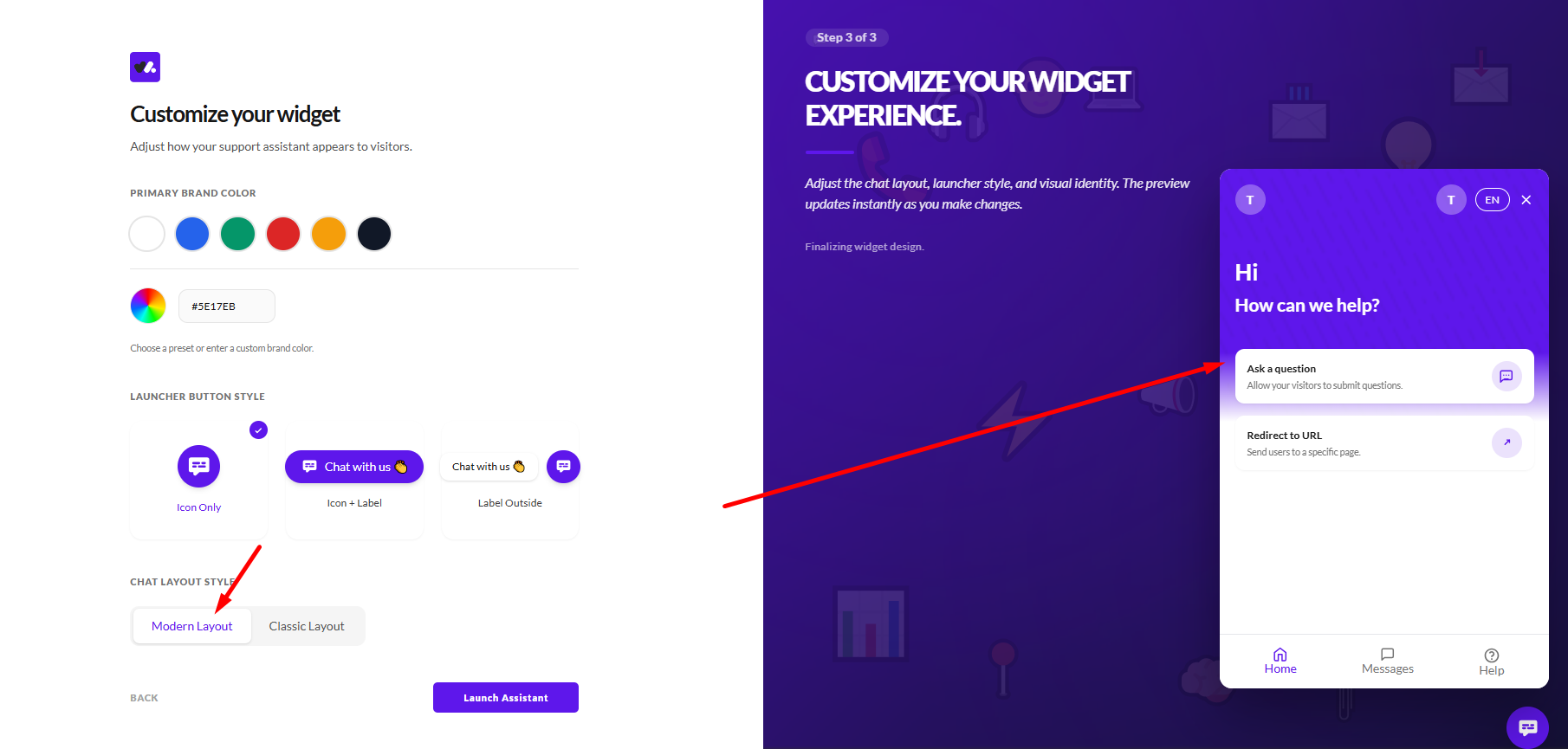
The Modern layout introduces a more structured and guided experience by combining chat with navigation and content access. Instead of starting with a blank conversation, users are presented with options such as asking a question or navigating to specific actions, along with tabs for sections like Home, Messages, and Help.
This layout is designed to help users find answers faster by offering multiple entry points into your support system. It works well when you want to guide users, surface content like FAQs or knowledgebase articles, and create a more interactive support experience.
Key Differences
The Classic and Modern layouts differ mainly in how users interact with the widget. The Classic layout follows a straightforward, single conversation flow where users type messages and receive responses in sequence, creating a familiar and simple chat experience.
On the other hand, the Modern layout blends conversation with structured navigation, allowing users to explore options, access content, and interact in multiple ways. While the Classic layout prioritizes simplicity and familiarity, the Modern layout focuses on guidance, discoverability, and quicker access to information.
Choosing the Right Layout
If your goal is to provide a simple and familiar chat experience where users can ask questions freely, the Classic layout is the better choice. It works well for support-focused use cases where conversations are direct and user-driven.
If your goal is to guide users, surface helpful content, and improve how quickly they find answers, the Modern layout is more effective. It is especially useful for businesses that want to combine support, self-service, and lead capture in a more structured experience.
Final Thoughts
Both the Classic and Modern layouts are designed to deliver effective support using the same underlying system, so the choice ultimately comes down to how you want users to interact with your widget.
You can start with the layout that best fits your current needs and adjust it over time as your support strategy evolves.
Did this answer your question?
What was missing or unclear?
Thank you for your feedback!
Your input helps us make this article better.
Still need help?
Contact support →Related articles
Installing the Chat Widget on Your Website
Step-by-step guide to embedding the chat widget on your website.
Using Custom Forms in Chat
Create interactive forms to collect structured data during conversations.
Enabling File Attachments & Voice Messages
Allow users to send files and voice messages for better communication.
Setting Up Lead Collection Forms
Capture visitor information automatically when users interact with your chat.
On this page