
Enabling File Attachments & Voice Messages
Allow users to send files and voice messages for better communication.
Sometimes a conversation needs more than just text. Widgion allows your visitors to send files and record voice messages directly within the chat widget, making it easier for them to share exactly what they need without switching to another channel.
Both of these features are turned off by default and can be enabled in just a few clicks.
Getting to the Right Page
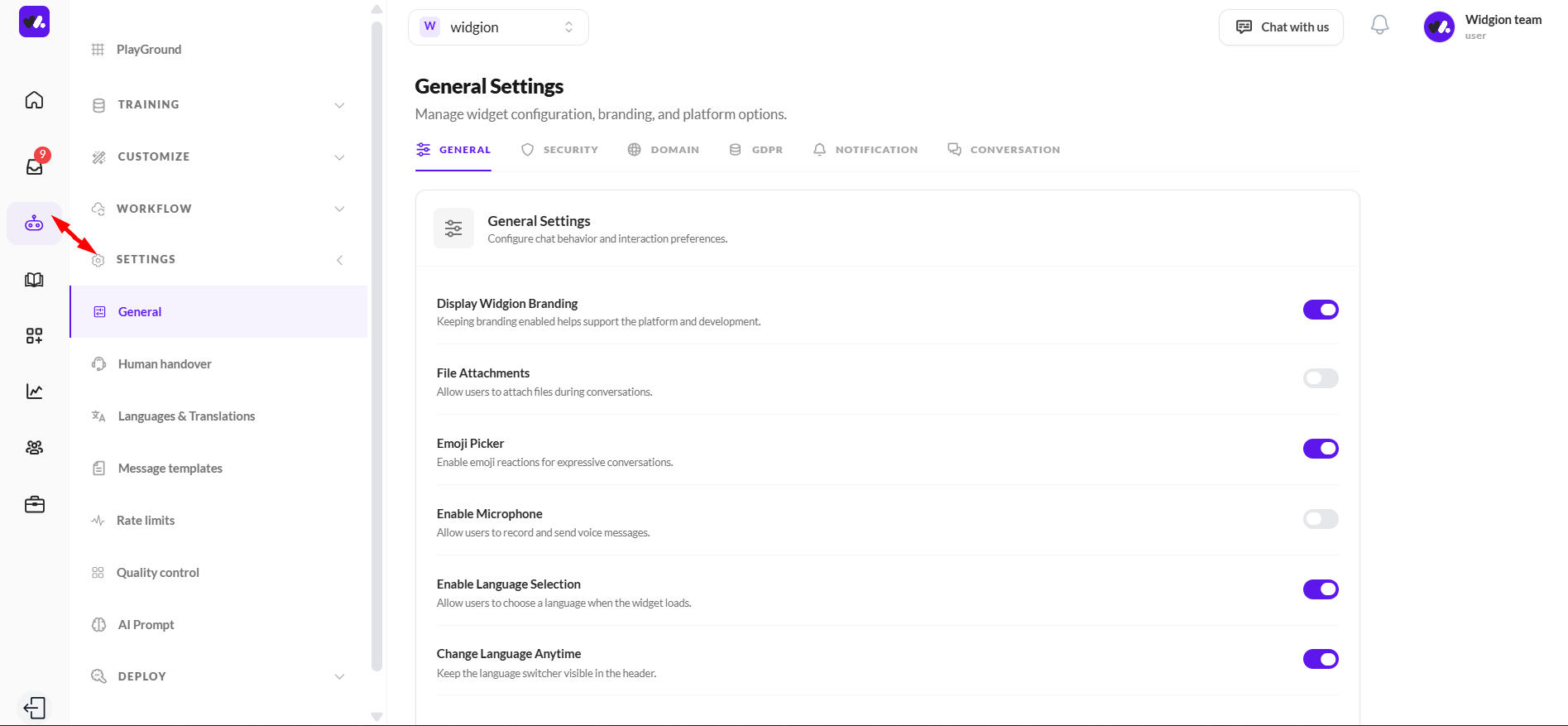
To enable these features, navigate to Agents in the left sidebar, then go to Settings and click General. This opens the General Settings page where you can manage your chat behavior and interaction preferences.
Enabling File Attachments
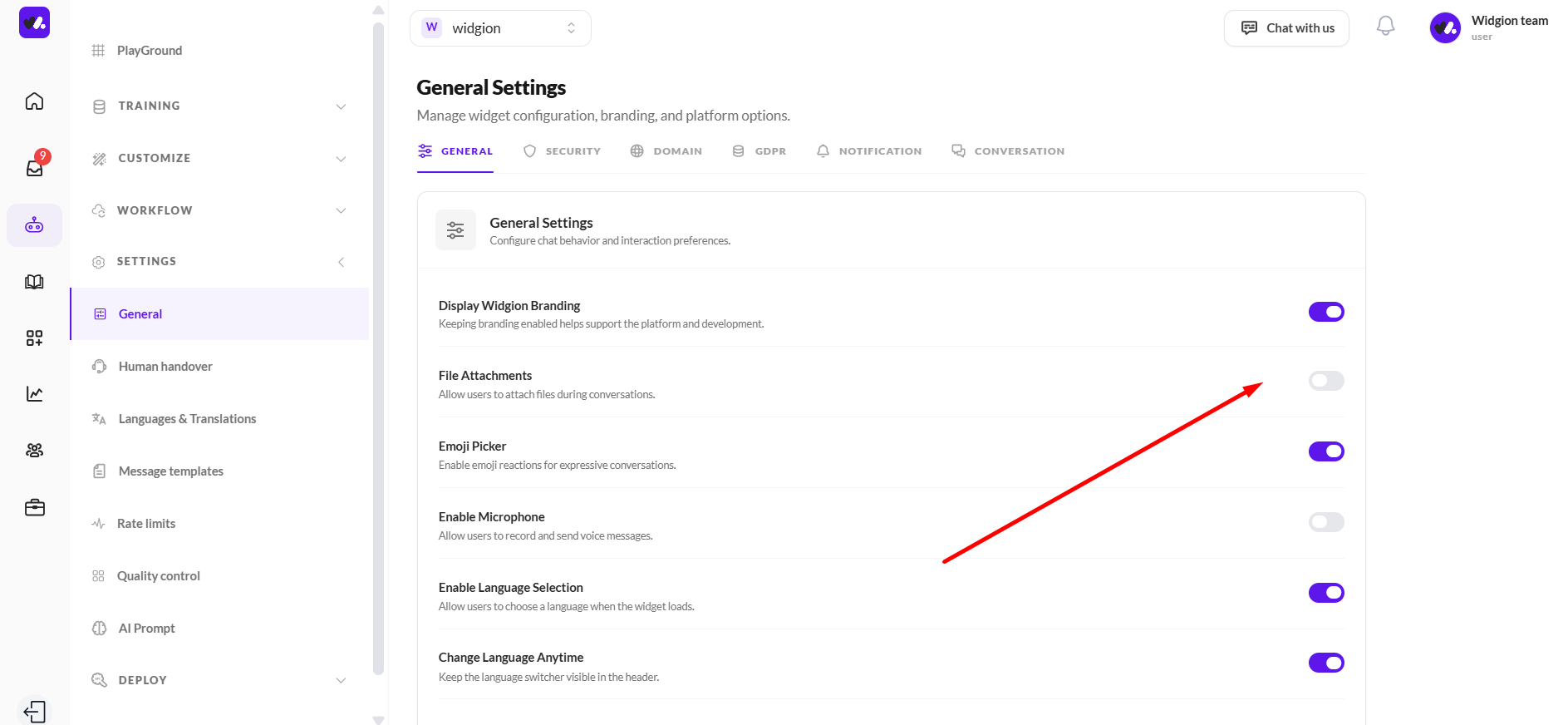
On the General Settings page, you'll find the File Attachments option with the description "Allow users to attach files during conversations." By default, this toggle is turned off.
Click the toggle to enable it, and visitors will immediately have the ability to attach files when chatting with your widget.
Enabling Voice Messages
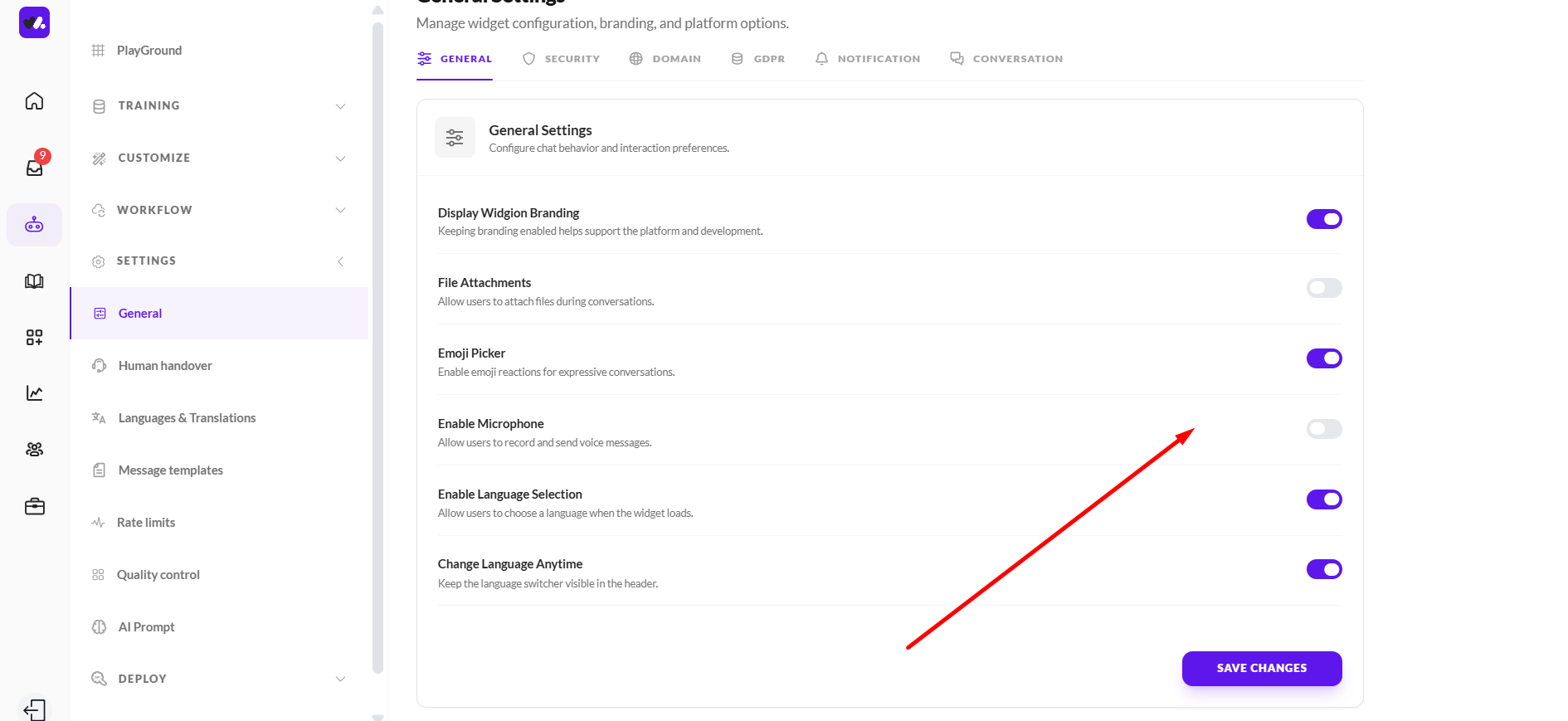
Just below File Attachments, you'll see the Enable Microphone option with the description "Allow users to record and send voice messages." Like File Attachments, this is also turned off by default.
Toggle it on to allow visitors to record and send voice messages directly within the chat.
Saving Your Changes
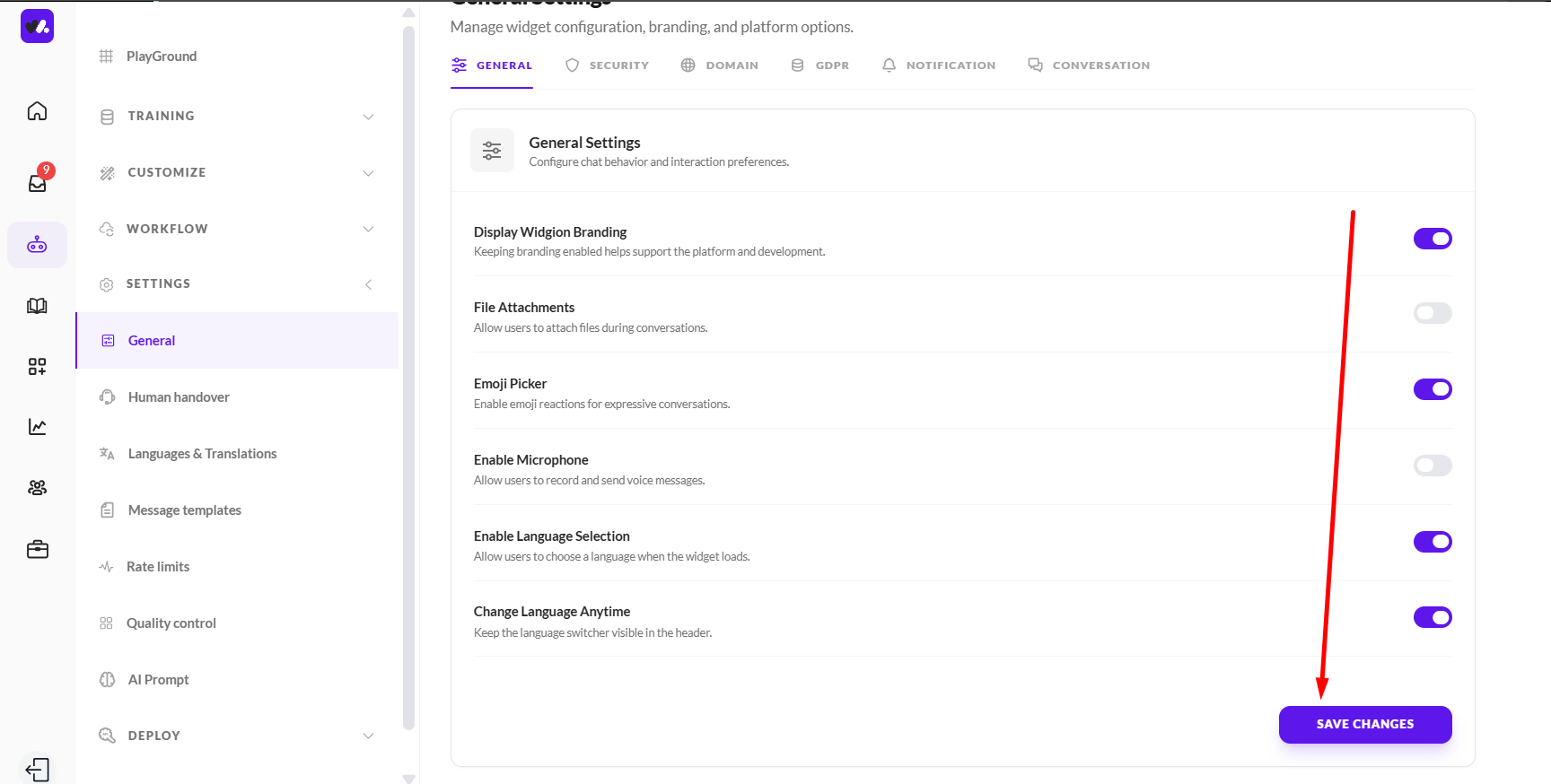
Once you've enabled the features you want, scroll to the bottom of the page and click Save Changes to apply your settings. Your widget will immediately reflect the updates for all visitors.
Let the Conversation Flow Naturally
Giving visitors the option to send files and voice messages removes unnecessary friction from your support experience.
Instead of asking a visitor to describe an issue they could simply show you, or type out something they could just say, these features let the conversation happen naturally, on their terms.
Did this answer your question?
What was missing or unclear?
Thank you for your feedback!
Your input helps us make this article better.
Still need help?
Contact support →Related articles
Installing the Chat Widget on Your Website
Step-by-step guide to embedding the chat widget on your website.
Classic vs Modern Chat Widget
Compare both widget types and choose the best option for your business needs.
Using Custom Forms in Chat
Create interactive forms to collect structured data during conversations.
Customizing Chat Appearance
Learn how to adjust colors, launcher icons, themes, and positioning to match your brand.
On this page