
Filtering, Searching, and Navigating Contacts
Covers search, filters, segmentation, and how to move across different contact views efficiently.
The Audience section in Widgion gives you several ways to find and navigate through your contacts efficiently. Whether you're looking for a specific user, trying to narrow down a segment, or building a targeted list, the tools are all available directly from the contacts pages.
Viewing All Contacts
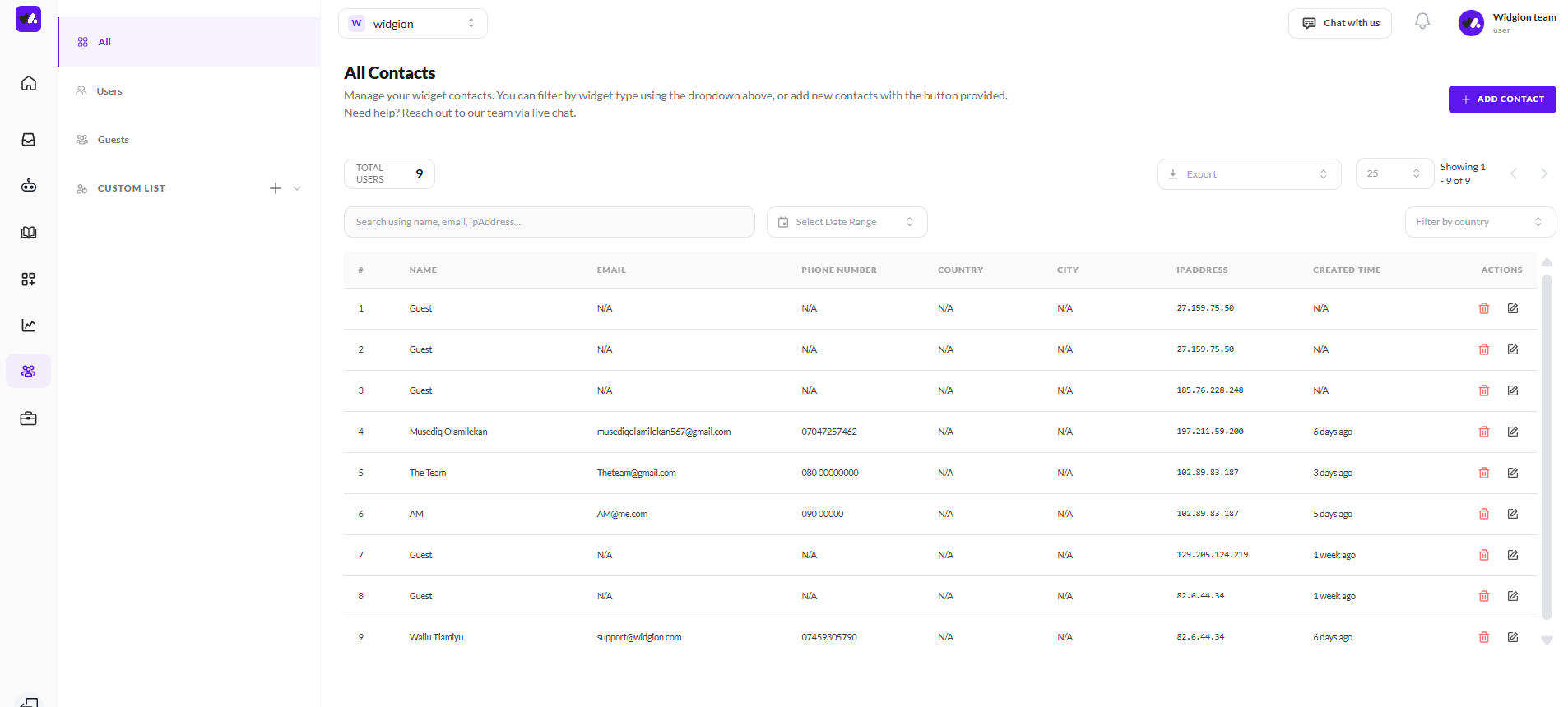
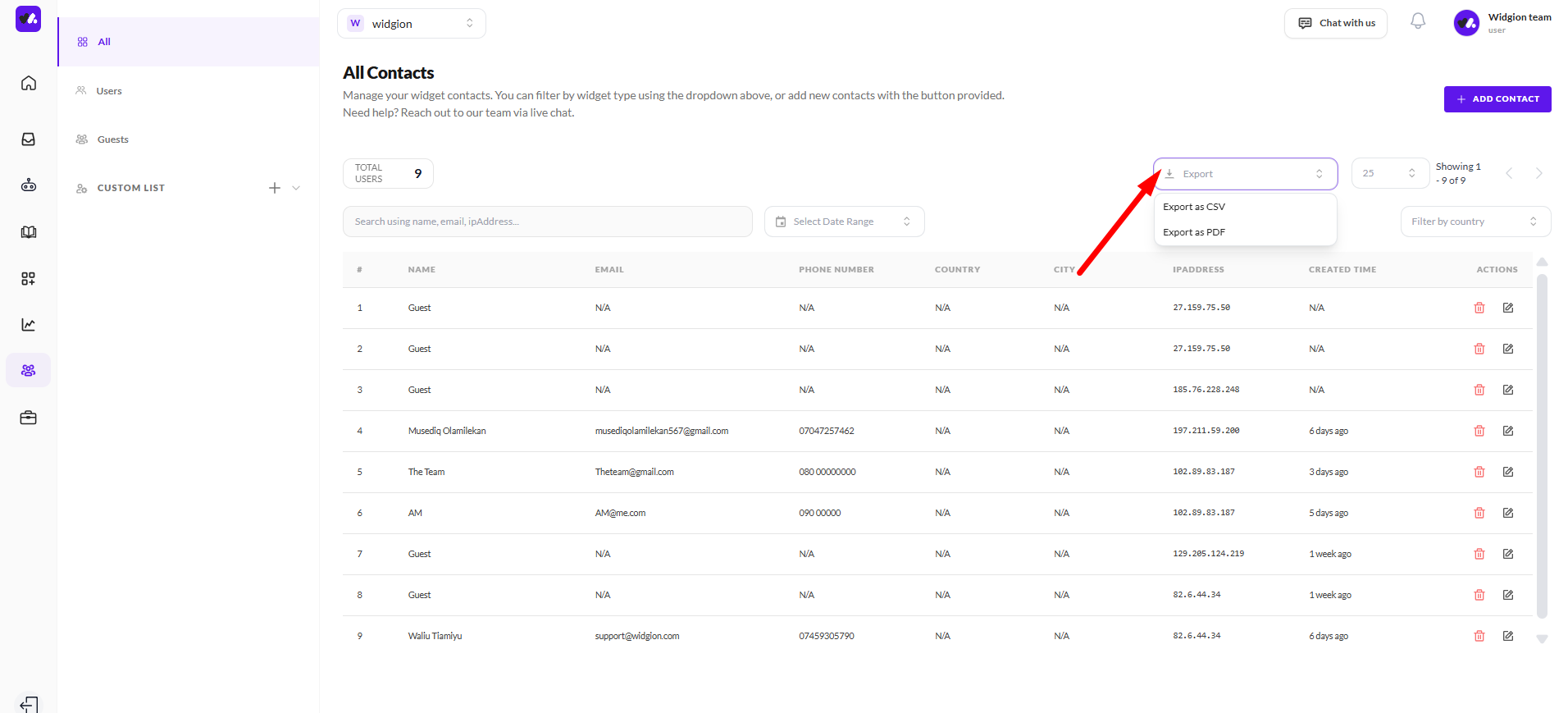
Clicking All in the left sidebar of the Audience section takes you to the All Contacts page, which combines both users and guests into a single list. The total contact count is displayed at the top, and each entry shows the contact's name, email, phone number, country, city, IP address, created time, and action buttons. You can navigate through pages using the pagination controls on the right.
Searching for a Contact
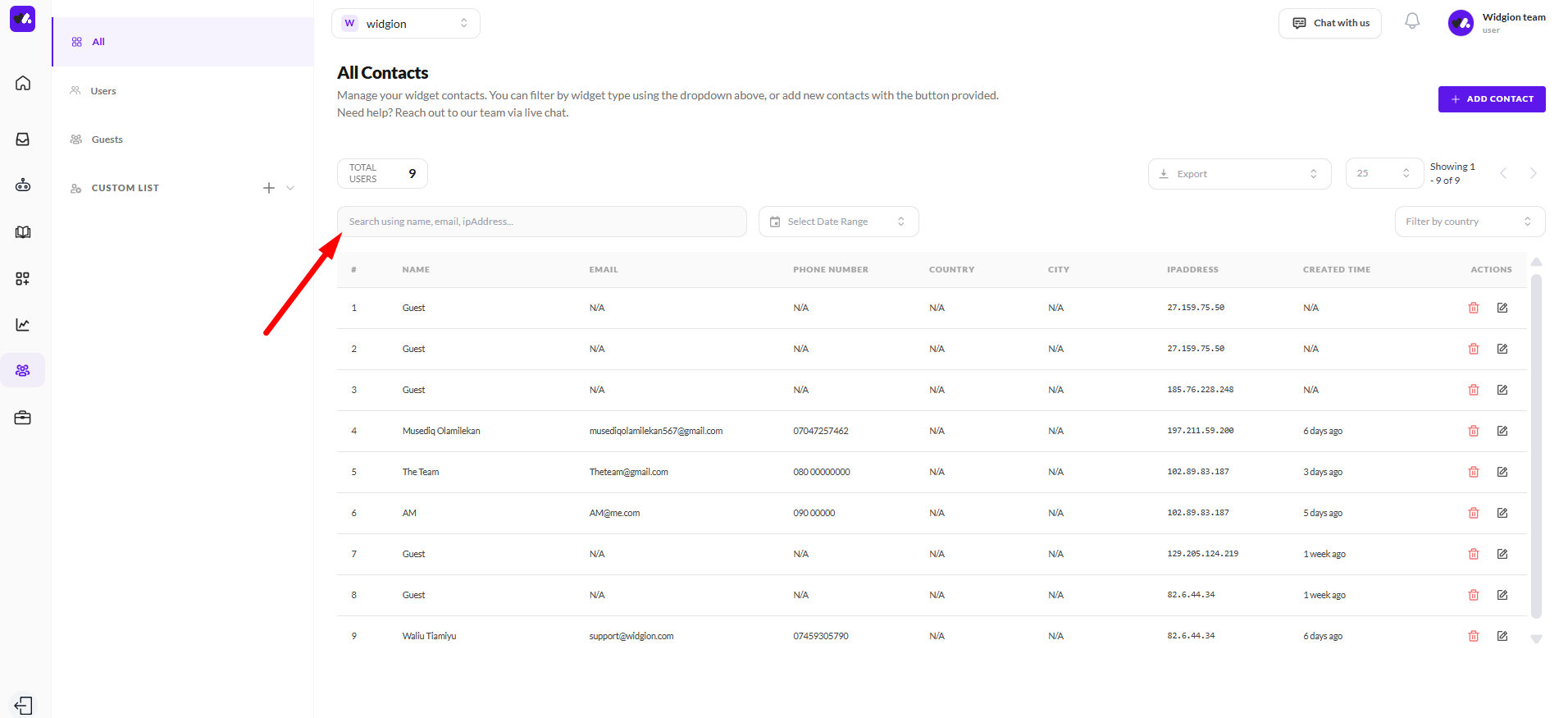
At the top of any contacts page, you'll find a Search field that lets you look up contacts by name, email, or IP address. Start typing and the list will filter down to matching entries instantly.
Filtering by Date Range
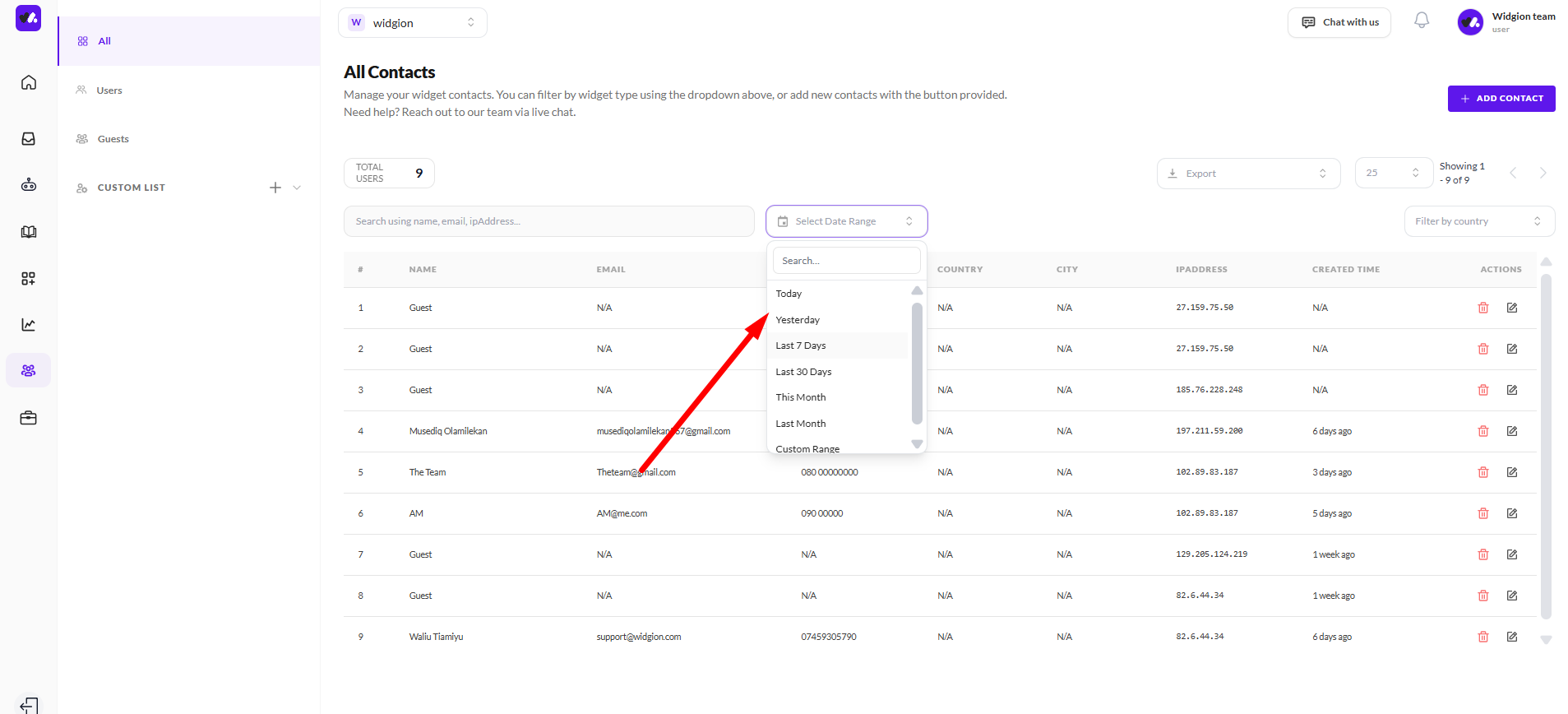
Next to the search field, there are two additional filters. The Select Date Range filter lets you narrow your list to contacts created or active within a specific time period.
Filtering by Country
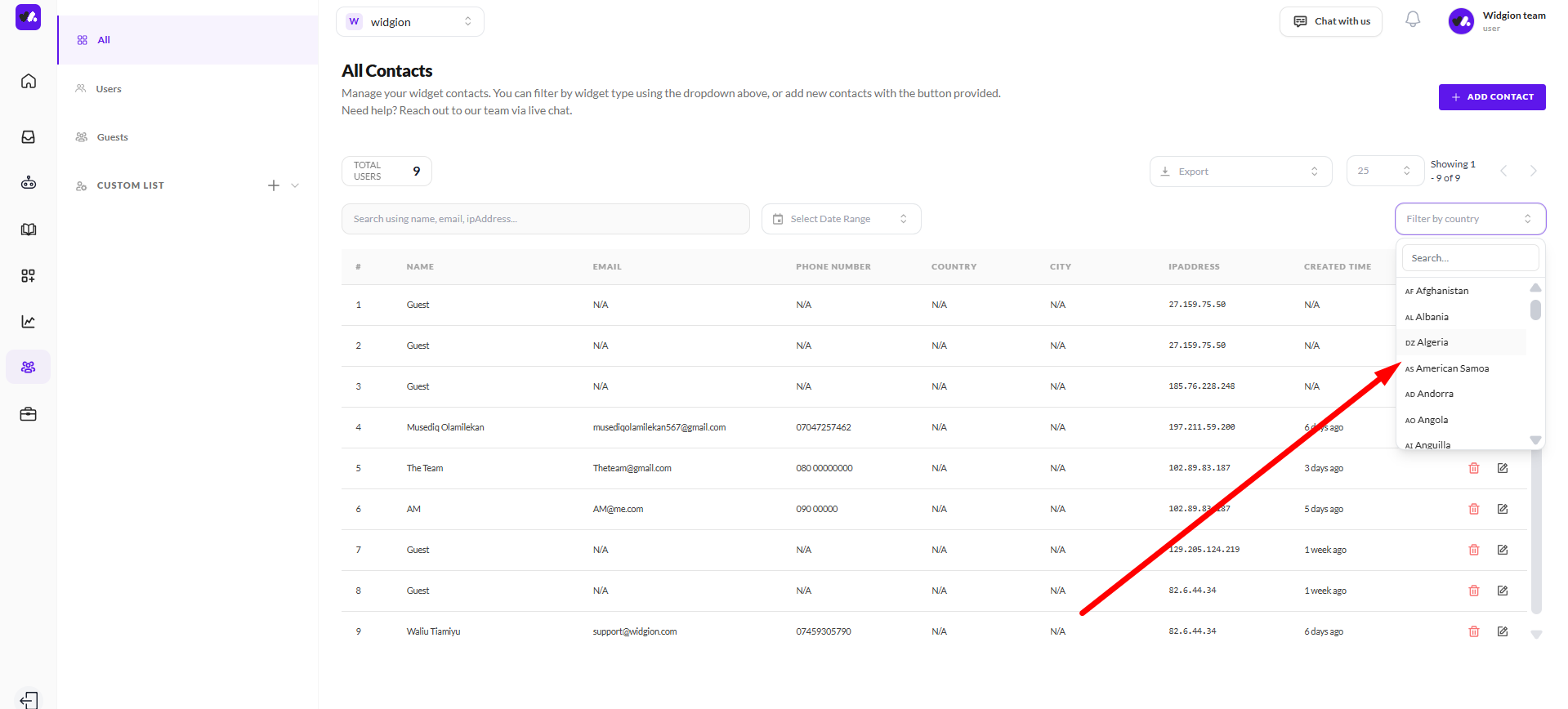
The Filter by country dropdown on the right lets you filter contacts by their country of origin. Both filters can be used together with the search field to get a more precise view of your contacts.
Exporting Your Contacts
If you need to take your contact data outside of Widgion, the Export button at the top of the contacts list lets you download your current view. This is useful for reporting, CRM imports, or any external workflow that requires contact data.
Building a Custom List with Audience Filters
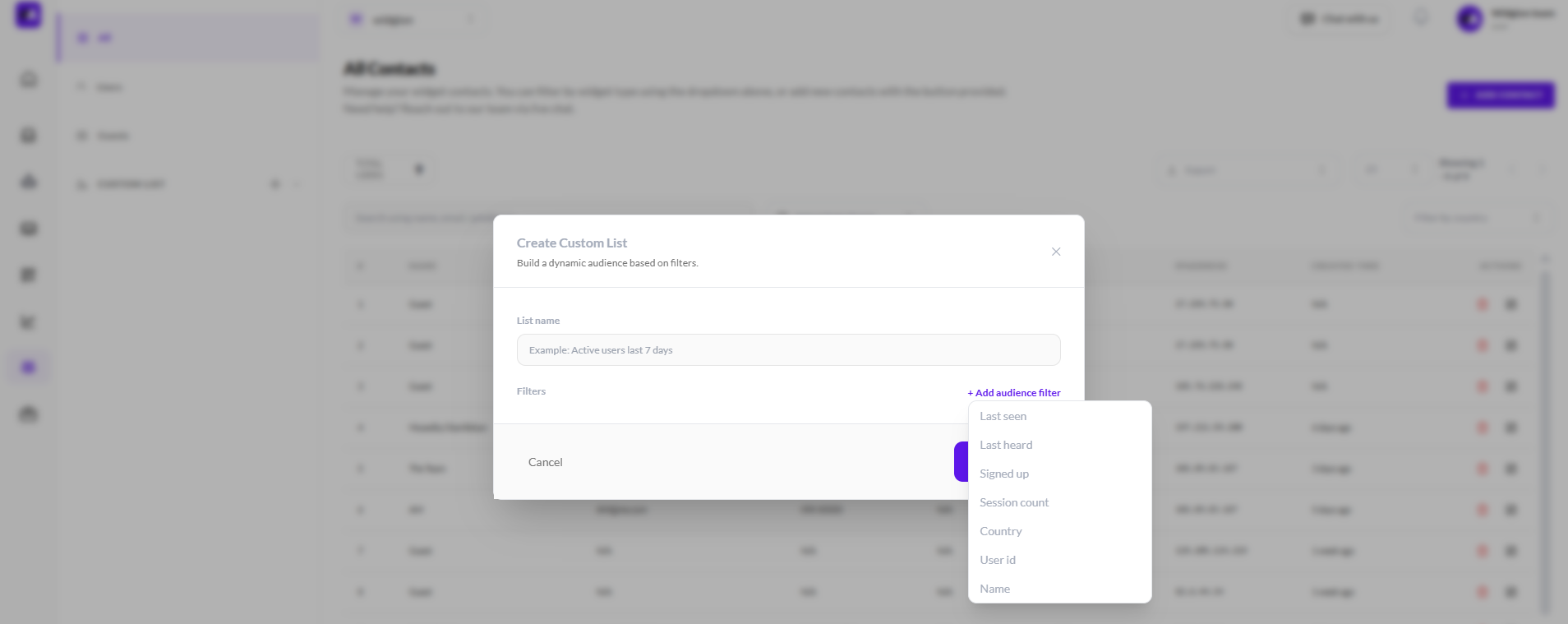
For more advanced segmentation, the Custom List section in the left sidebar lets you build dynamic lists based on specific audience filters.
When creating a custom list, click + Add audience filter to see the available filter options — Last seen, Last heard, Signed up, Session count, Country, User id, and Name. You can combine multiple filters to define exactly who belongs in each list.
Find Who You Need, When You Need Them
Having a growing contact list is only useful if you can navigate it efficiently. The search, date, and country filters help you zero in on specific contacts quickly, while custom lists let you build reusable segments that stay up to date automatically. Together, these tools give you full control over how you view and manage your audience.
Did this answer your question?
What was missing or unclear?
Thank you for your feedback!
Your input helps us make this article better.
Still need help?
Contact support →Related articles
Adding, Editing, and Managing Contact Data
Handles actions like adding contacts, editing details, deleting, and exporting.
Understanding Contact Types (Users, Guests, and Custom Lists)
Explains the difference between Users, Guests, and Custom Lists, and how each is used within the platform.
Installing the Chat Widget on Your Website
Step-by-step guide to embedding the chat widget on your website.
Classic vs Modern Chat Widget
Compare both widget types and choose the best option for your business needs.
On this page