
Understanding Contact Types (Users, Guests, and Custom Lists)
Explains the difference between Users, Guests, and Custom Lists, and how each is used within the platform.
Widgion organizes the people who interact with your widget into three distinct contact types — Users, Guests, and Custom Lists. Each one represents a different kind of visitor, and understanding the difference helps you manage your audience more effectively. All three are accessible from the Audience section in the left sidebar.
Users
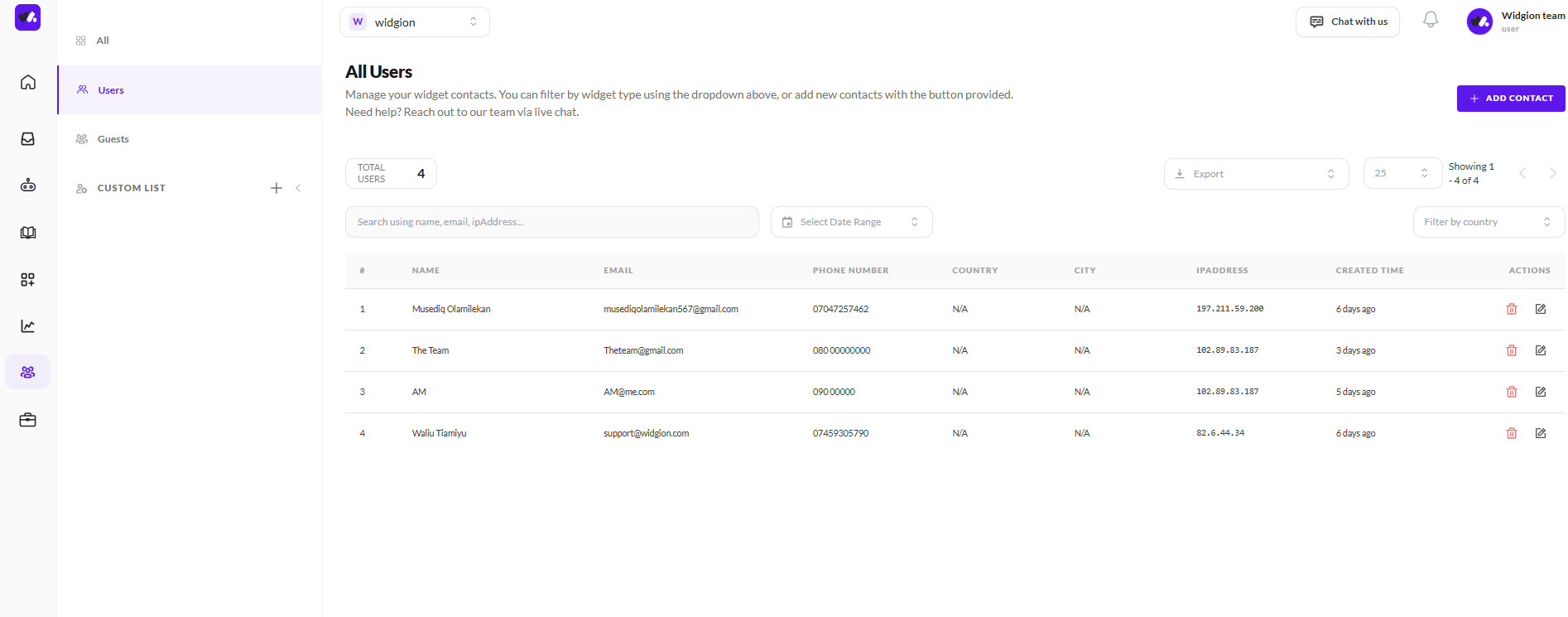
The Users tab shows contacts who have provided their information during a chat — such as their name, email address, and phone number. Each user entry displays their name, email, phone number, country, city, IP address, and when they were created.
You can search through your users by name, email, or IP address, filter by date range or country, and export your list. You can also add contacts manually using the + Add Contact button in the top right corner.
 Guests
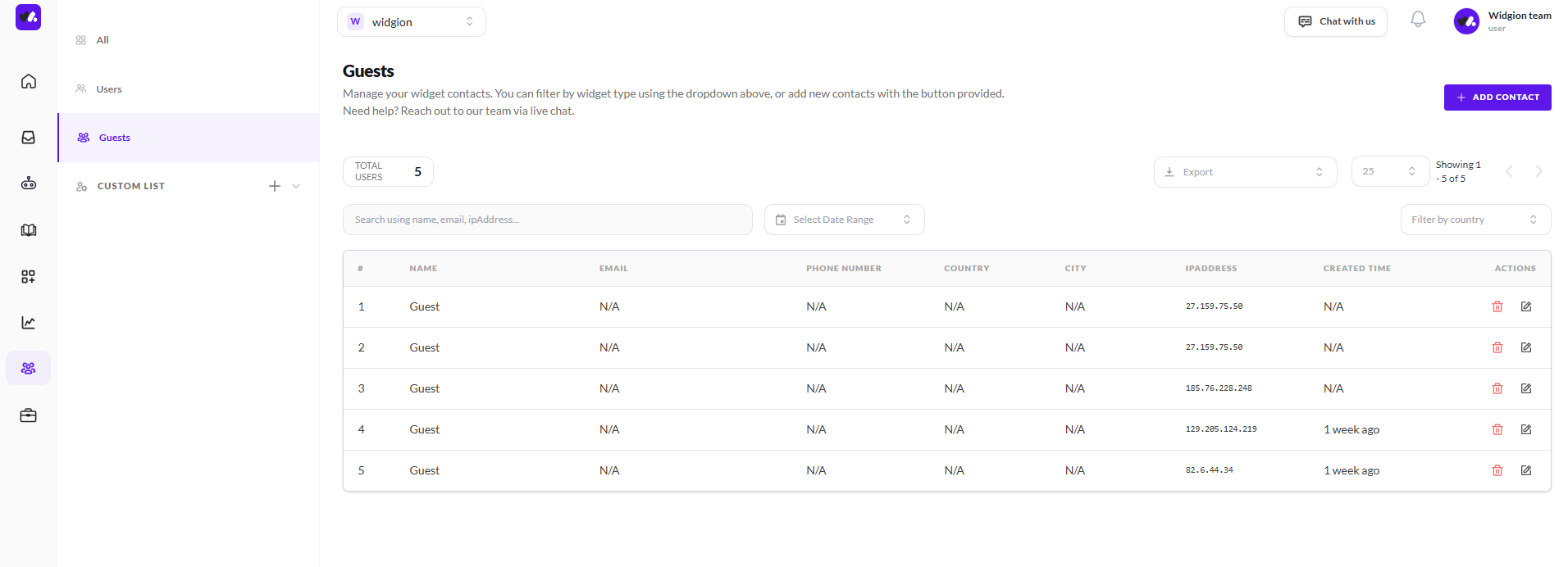
The Guests tab shows visitors who interacted with your widget but did not provide any contact details. These entries are identified only by their IP address and the time they visited, with all other fields showing as N/A.
Like the Users tab, you can search, filter, and export this list, and the total guest count is displayed at the top of the page.
 Custom Lists
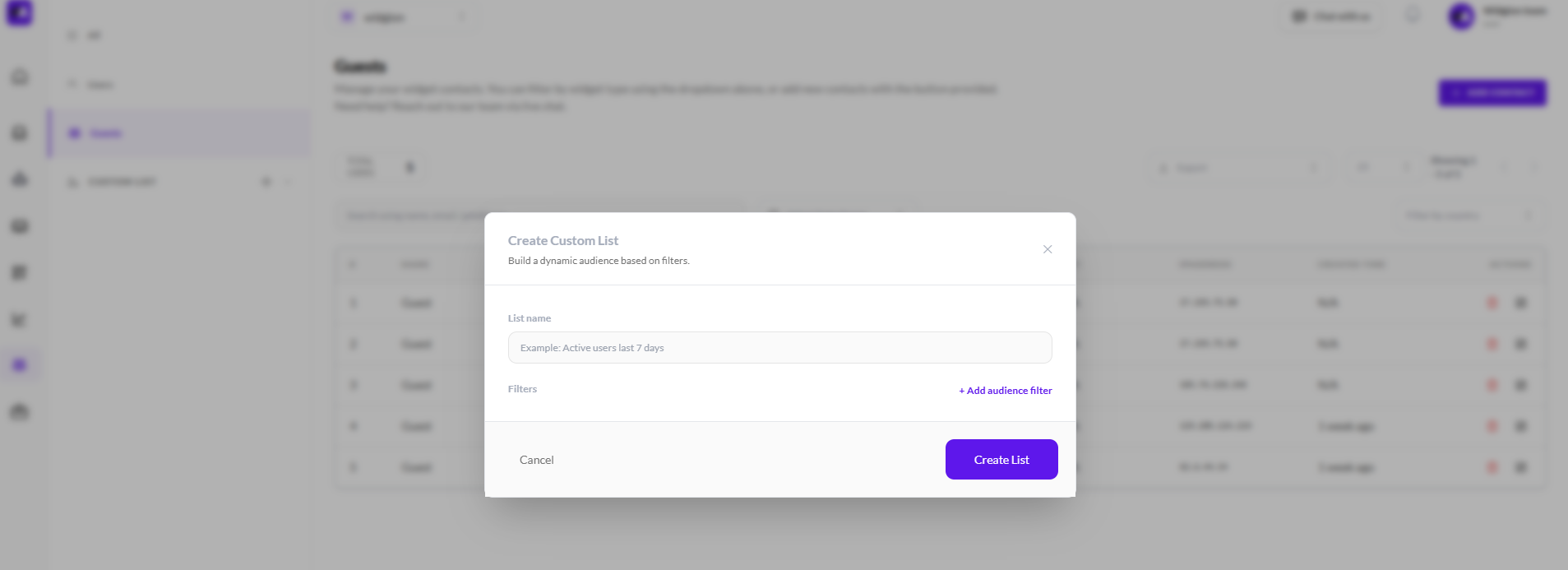
The Custom List section in the left sidebar lets you build dynamic audience segments based on filters. Clicking the + button next to Custom List opens the Create Custom List modal where you give your list a name and add audience filters to define who gets included. Once created, the list updates automatically based on the criteria you set.
Know Your Audience
The distinction between users and guests matters because it tells you how much information you have about each visitor. Users have identified themselves and can be followed up with directly, while guests represent anonymous traffic your widget has engaged with.
Custom lists let you go a step further by grouping contacts into targeted segments for more focused engagement.
Did this answer your question?
What was missing or unclear?
Thank you for your feedback!
Your input helps us make this article better.
Still need help?
Contact support →Related articles
Adding, Editing, and Managing Contact Data
Handles actions like adding contacts, editing details, deleting, and exporting.
Filtering, Searching, and Navigating Contacts
Covers search, filters, segmentation, and how to move across different contact views efficiently.
Installing the Chat Widget on Your Website
Step-by-step guide to embedding the chat widget on your website.
Classic vs Modern Chat Widget
Compare both widget types and choose the best option for your business needs.
On this page