
Introduction to Knowledgebase Widget
Overview of how the widget works.
The Knowledgebase Widget in Widgion lets you make your help center content available directly from your website. Users can search for articles, browse available resources, and find answers without leaving the page they’re currently viewing.
The widget provides a central place for users to access your support content, making your knowledge base available whenever they need it.
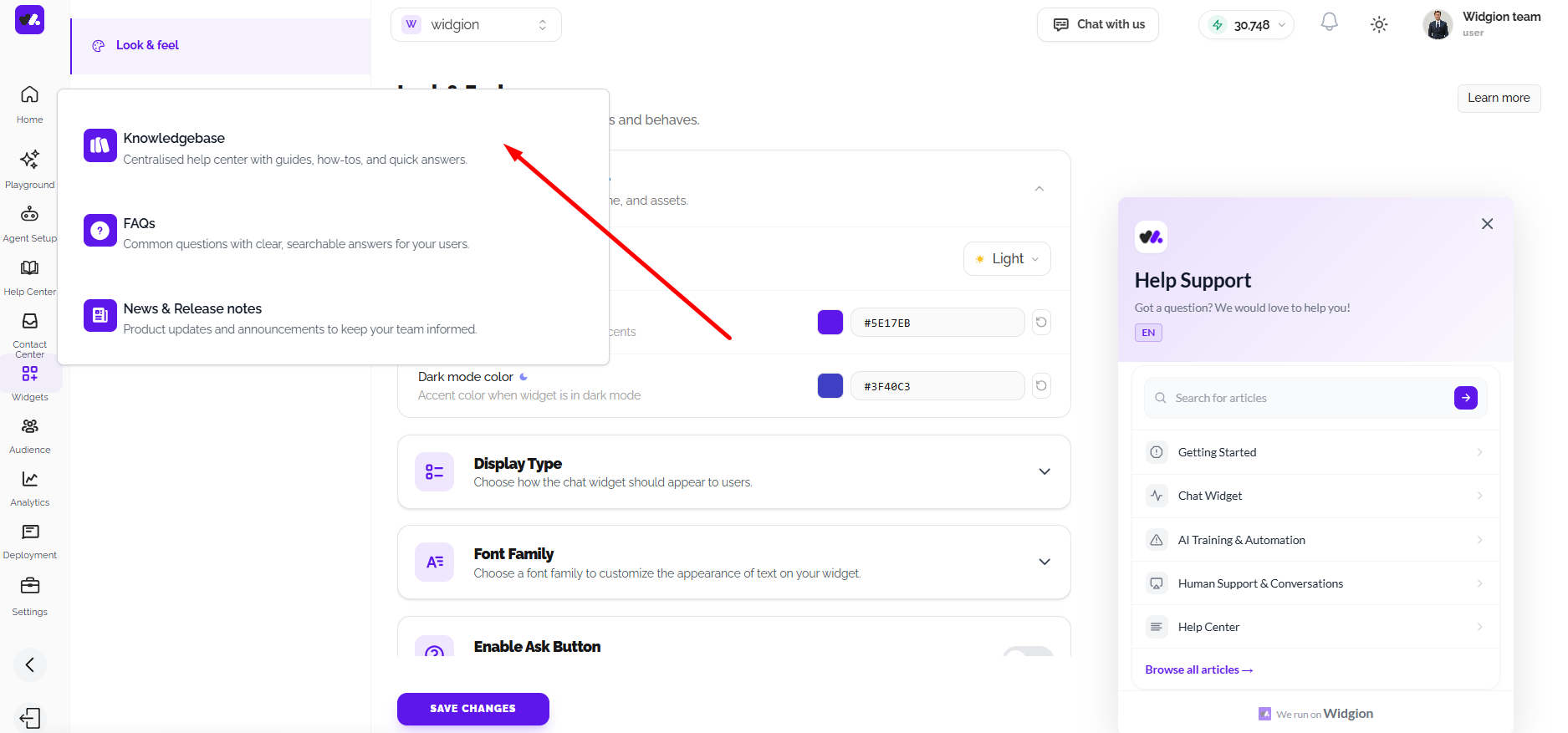
What is the Knowledgebase Widget?
The Knowledgebase Widget is an embedded help center interface that gives users access to your Widgion knowledge base directly within your website.
Users can search for articles, browse collections, and select relevant content from the widget. The interface can also display categories and suggested resources to help users find the information they need.
How the Knowledgebase Widget Works
The widget connects to the content available in your Widgion knowledge base. Your published articles and collections can be accessed through the widget, allowing users to browse or search for support content directly from your website.
From the widget, users can search for articles or browse available categories such as Getting Started, Chat Widget, AI Training & Automation, Human Support & Conversations, and Help Center. The widget also provides a Browse all articles option for users who want to explore the complete knowledge base.
Accessing Help Content
When users open the Knowledgebase Widget, they can search for specific topics or browse the available content. Selecting a category takes them to the relevant articles, while the search function helps them find specific information.
This gives users multiple ways to navigate your help content from a single interface.
Keeping Your Knowledge Base Accessible
The Knowledgebase Widget brings your existing help content closer to users by making it available directly within your website. As your knowledge base grows, users can continue accessing your articles and collections through the same support interface.
Did this answer your question?
What was missing or unclear?
Thank you for your feedback!
Your input helps us make this article better.
Still need help?
Contact support →Related articles
Introduction to News & Release Widgets
Overview of how the Widget works
Introduction to FAQ Widget
Overview of how the widget works
Adding, Editing, and Managing Contact Data
Handles actions like adding contacts, editing details, deleting, and exporting.
Understanding Contact Types (Users, Guests, and Custom Lists)
Explains the difference between Users, Guests, and Custom Lists, and how each is used within the platform.
On this page