
Setting Up a Custom Domain for Help Center
Publish your help center on your own domain.
By default, your Widgion Help Center is accessible through a Widgion-hosted subdomain. If you'd like it to live on your own domain instead, you can configure that directly from the Settings page of your Help Center. To get there, navigate to Help Center in the left sidebar and click Settings, then select the Domain tab.
Widgion-Hosted Subdomain
The first option on the Domain tab is the Widgion-Hosted Subdomain, which is marked as Recommended. This is the fastest way to get your Help Center live — Widgion hosts the domain for you and your Help Center address will always end with .widgion.com.
You can customize the prefix by editing the subdomain field. For example, entering "help" would make your Help Center accessible at help.widgion.com.
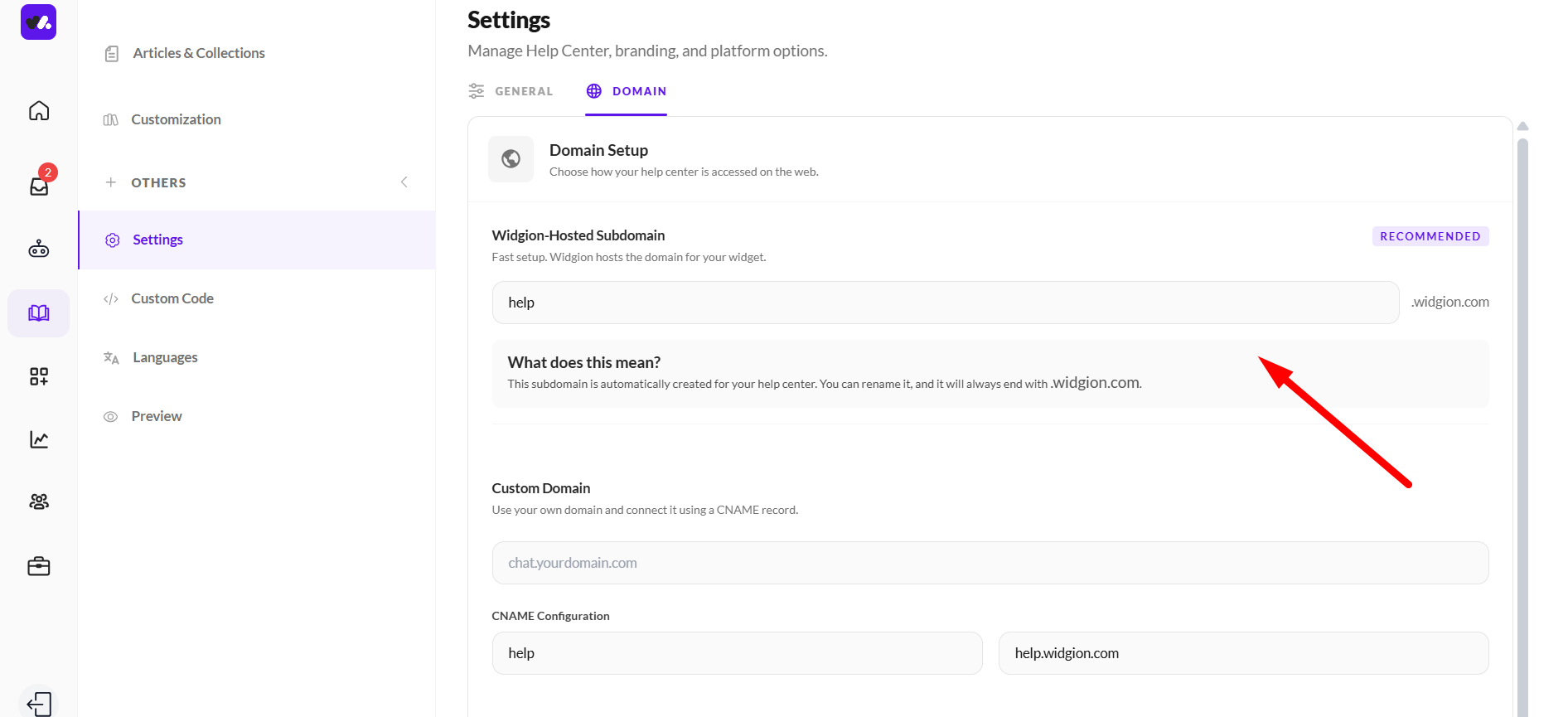
Custom Domain
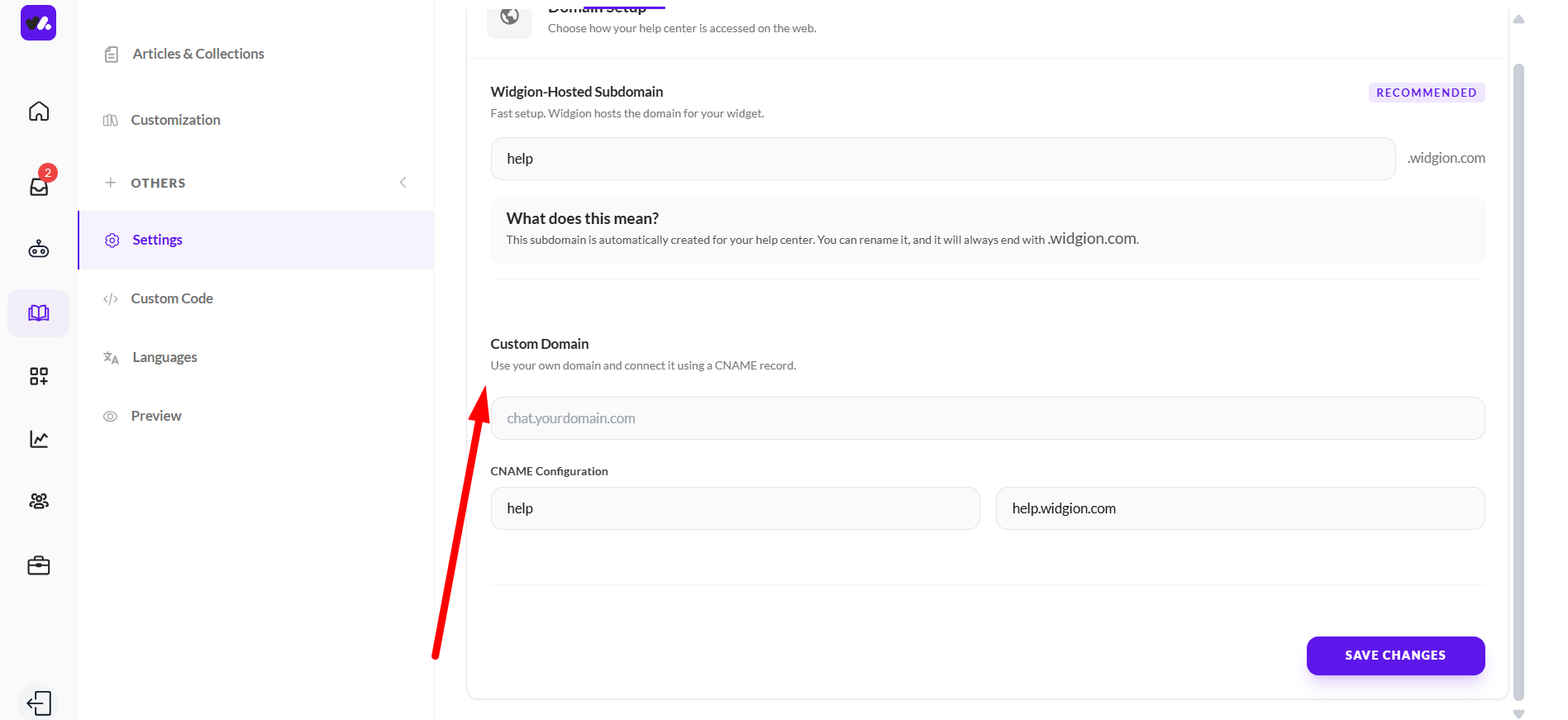
If you prefer to use your own domain, the Custom Domain section lets you connect it using a CNAME record. Enter your desired domain in the input field — for example, chat.yourdomain.com — and then use the CNAME Configuration details provided below to point your domain to Widgion.
The CNAME Configuration shows you exactly what to enter in your DNS settings, displaying the host name on the left and the target value on the right.
One Domain, Your Brand
Using a custom domain means your Help Center feels like a seamless part of your website rather than a third-party tool.
Whether you go with the Widgion-hosted subdomain for a quick setup or connect your own domain for full brand consistency, both options ensure your visitors can find and access your Help Center without any friction.
Did this answer your question?
What was missing or unclear?
Thank you for your feedback!
Your input helps us make this article better.
Still need help?
Contact support →Related articles
On this page