
Understanding AI Agent Actions
Learn how to configure Widgion AI agent actions to extend your assistant's capabilities and help it carry out supported tasks during customer interactions. Copy
Actions extend your Widgion AI agent with tools that allow it to retrieve external information, search the web, or execute custom workflows. You can manage existing actions, configure when they should appear, and create new actions to support your agent’s capabilities.
Exploring Available Actions
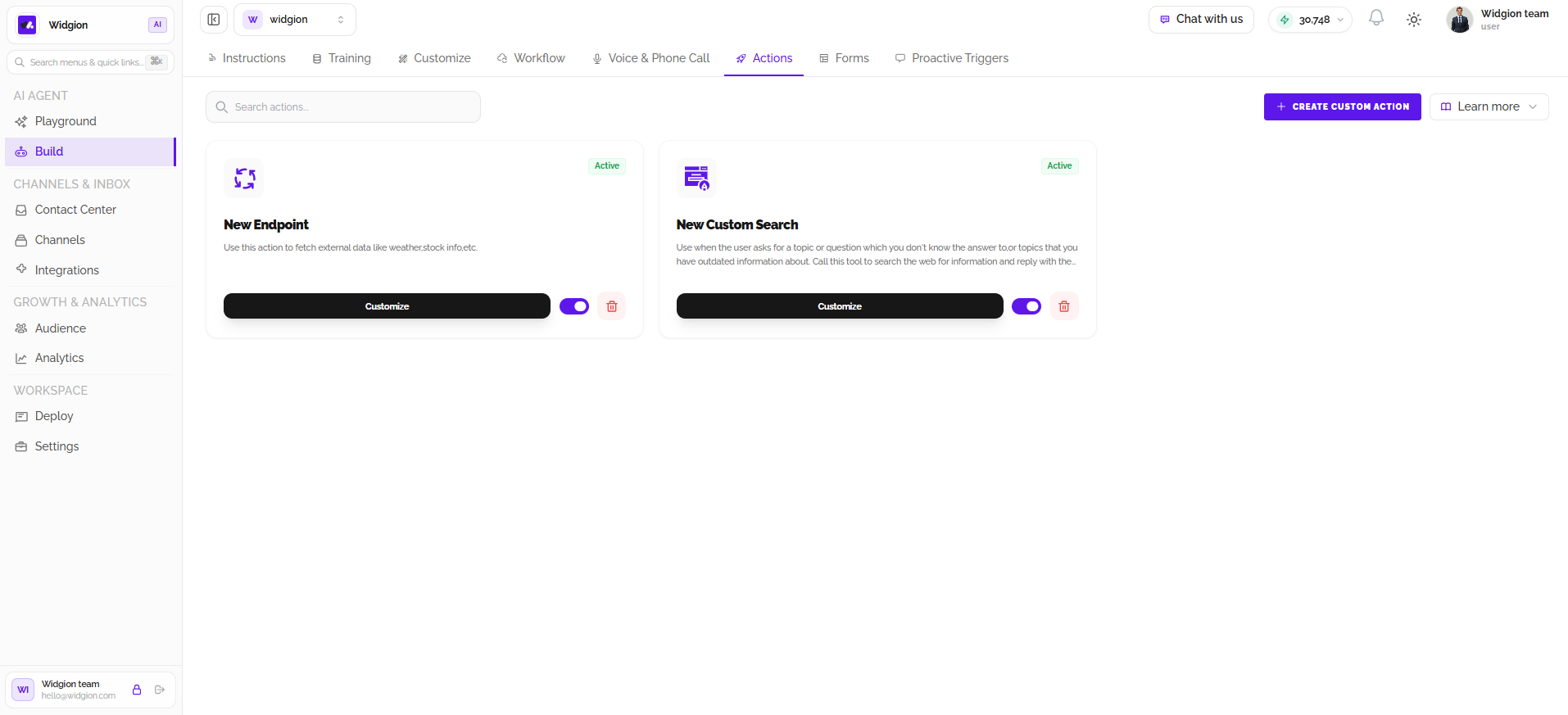
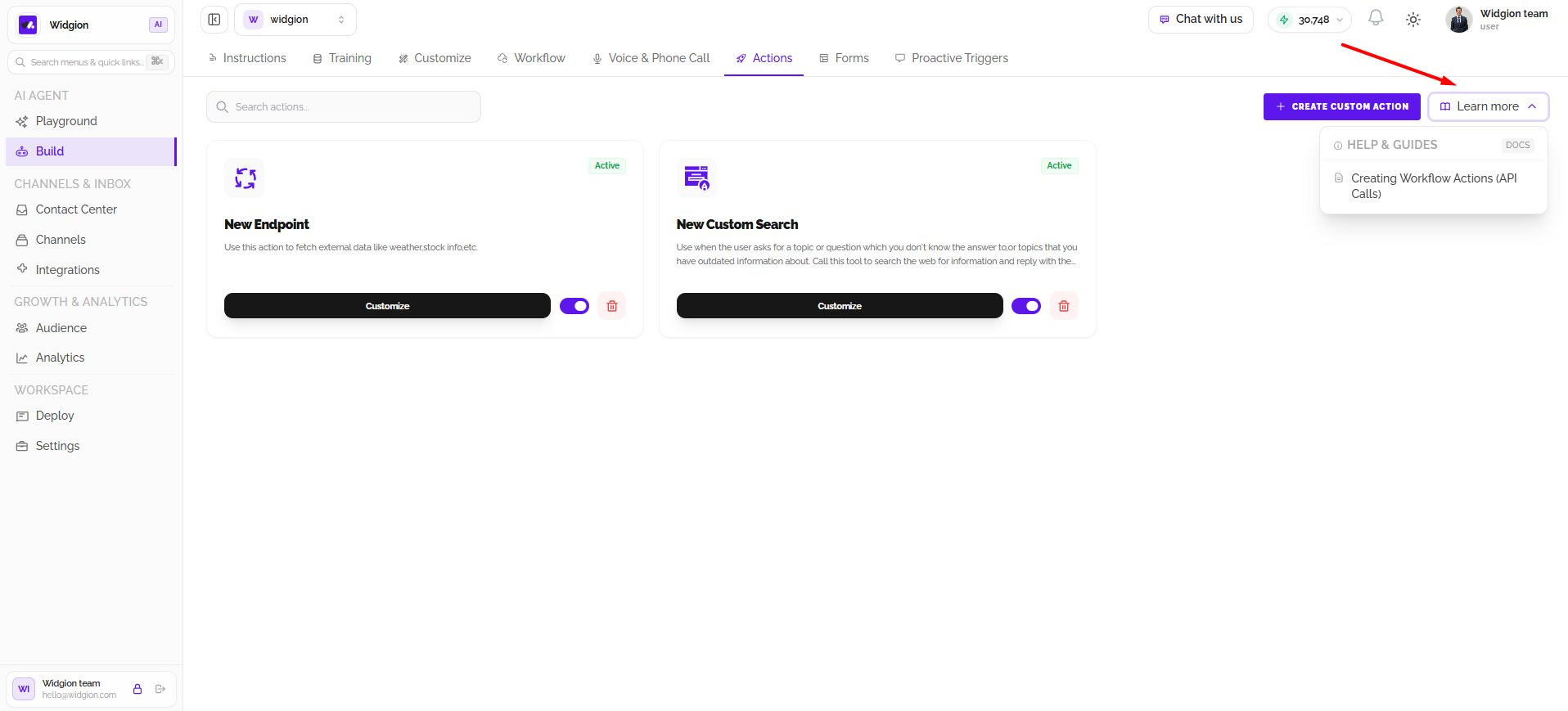
The Actions page displays configured actions as cards, including their name, description, and status. Use the Search actions field to find a specific action. Each card includes a Customize button, an activation toggle, and a delete option. The status label indicates whether the action is currently active.
Configuring an Endpoint Action
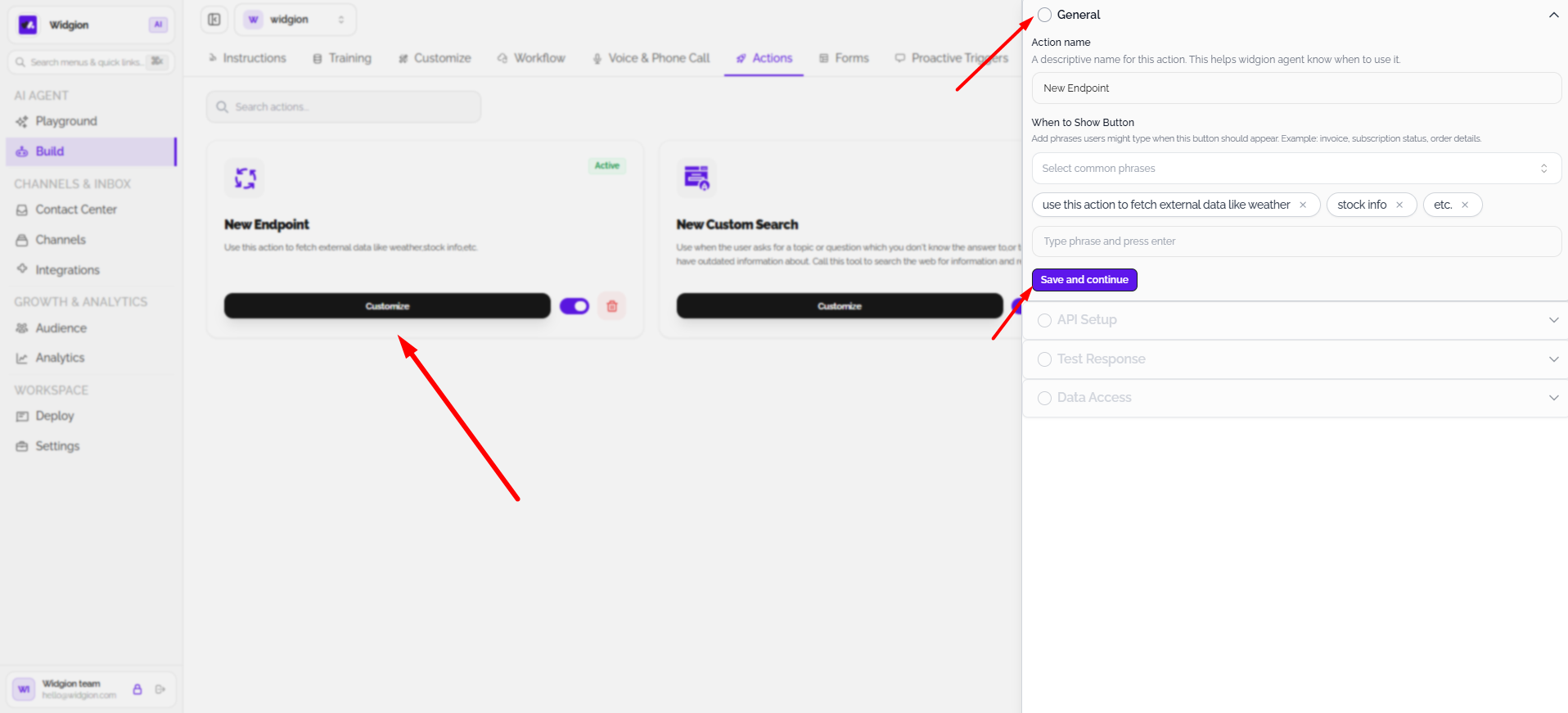
The New Endpoint action lets your agent fetch external data, such as weather or stock information, or execute workflows through an endpoint. Select Customize to open its configuration. Under General, set the action name and define the phrases that should make the action available to the agent. Use the common-phrases selector or enter additional phrases manually, then select Save and continue.
Configuring a Custom Search Action
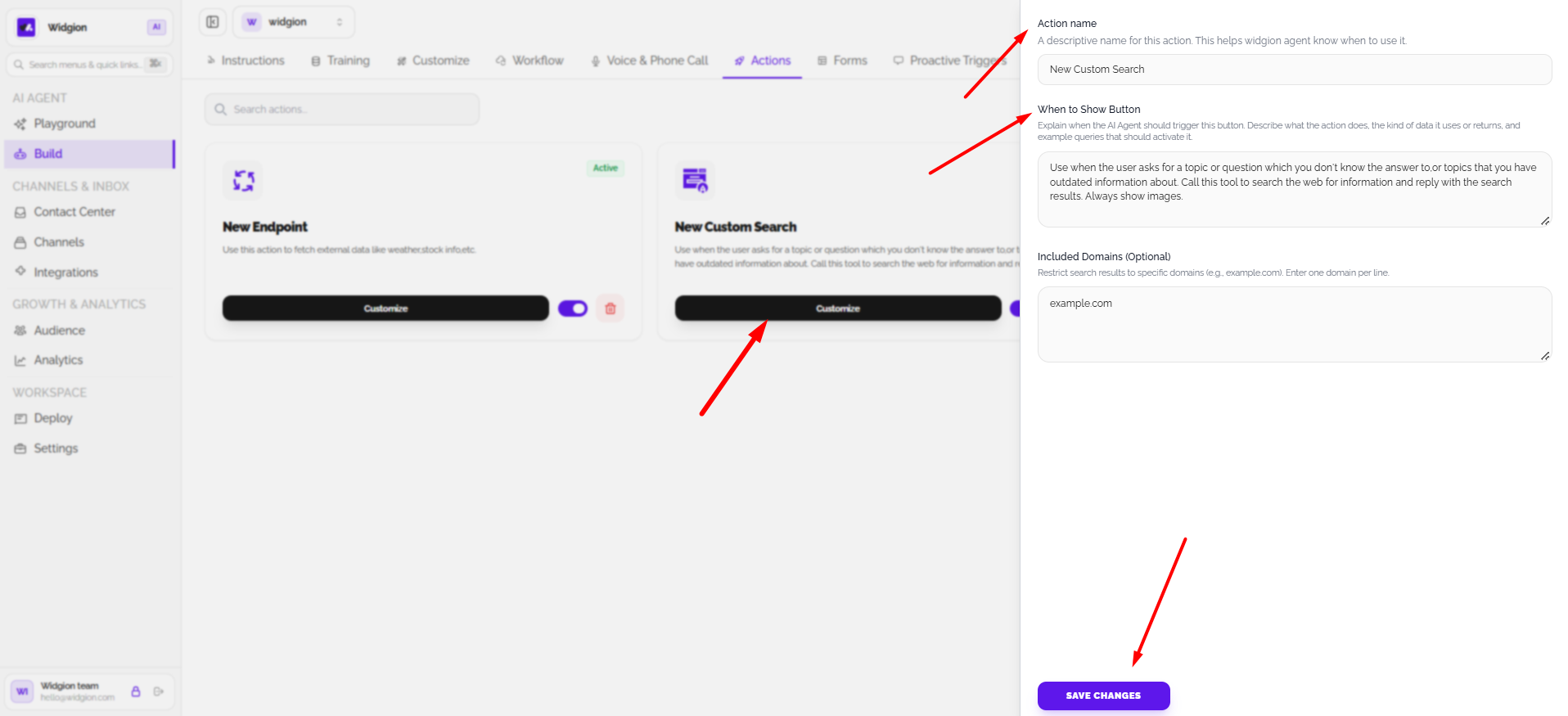
The New Custom Search action helps the agent answer questions when it lacks information or its existing knowledge may be outdated. Customize the action name and describe when it should be triggered in the When to Show Button field. You can also enter domains under Included Domains (Optional) to restrict search results to specific websites. Select Save Changes to apply the configuration.
Creating a Custom Action
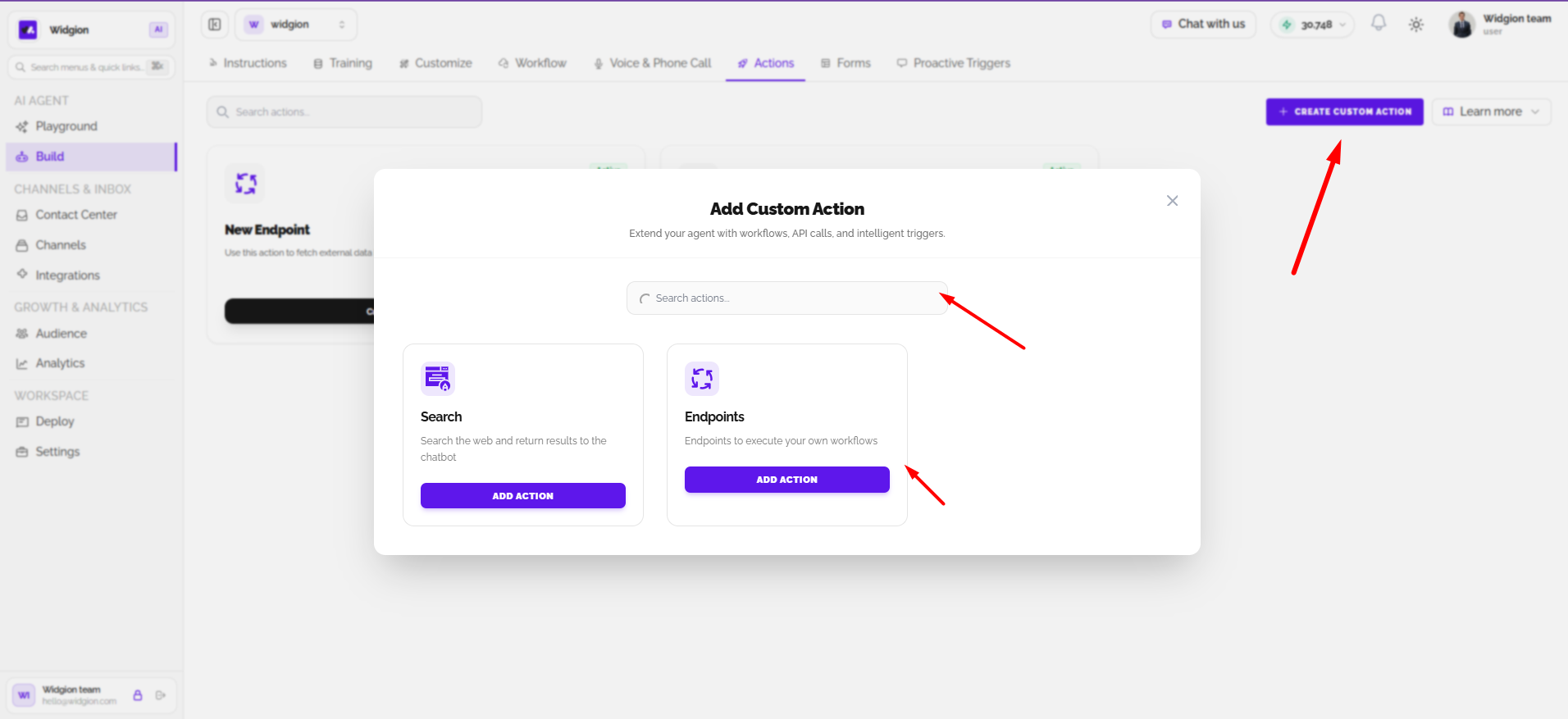
Select Create Custom Action to open the Add Custom Action window. Search for an action or choose from the available options. The screenshot shows Search, which searches the web and returns results to the chatbot, and Endpoints, which allows the agent to execute your own workflows. Select Add Action for the option you want to configure.
 `
Using the Learn More Guide
Open Learn More to access documentation related to Actions. The available guide shown is Creating Workflow Actions (API Calls), which provides additional information about setting up actions through API calls.
Summary
Actions give your Widgion agent access to external data, web search, and custom workflows. You can search and manage existing actions, configure their names and activation phrases, limit search domains, and create additional actions using the available options.
Did this answer your question?
What was missing or unclear?
Thank you for your feedback!
Your input helps us make this article better.
Still need help?
Contact support →Related articles
Understanding Agent Instructions
Learn how to configure Widgion agent instructions, define your AI assistant's behaviour, and guide its responses to customer questions.
Training Your AI Assistant
Learn how to train your Widgion AI assistant using websites, documents, text snippets, and other supported knowledge sources.
Installing the Chat Widget on Your Website
Step-by-step guide to embedding the chat widget on your website.
Adding, Editing, and Managing Contact Data
Handles actions like adding contacts, editing details, deleting, and exporting.
On this page