
Assigning Conversations to Team Members
Distribute chats among your team for efficient handling.
When a conversation is handed over from the AI to a human agent, it doesn't automatically land on a specific team member's plate. Someone on your team needs to accept it first.
Widgion makes this straightforward — agents can pick up conversations directly from the Bot Agents tab in the Contact Center, and the moment they accept a chat, it gets assigned to them automatically.
Finding Conversations That Need Attention
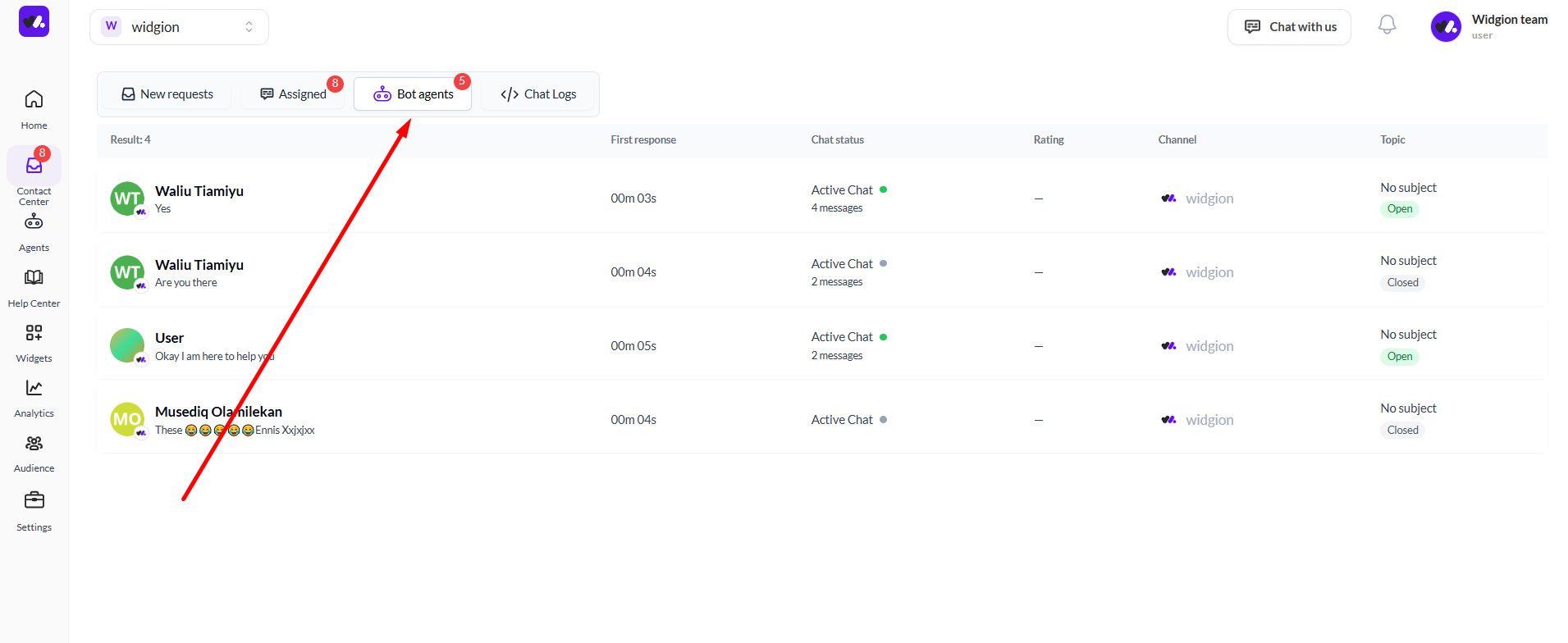
To see conversations currently being handled by the bot that may need a human to step in, navigate to the Contact Center and click the Bot Agents tab. This shows a list of all active bot conversations along with details like the visitor's name, last message, first response time, chat status, channel, and whether the conversation is open or closed.
 Opening a Conversation
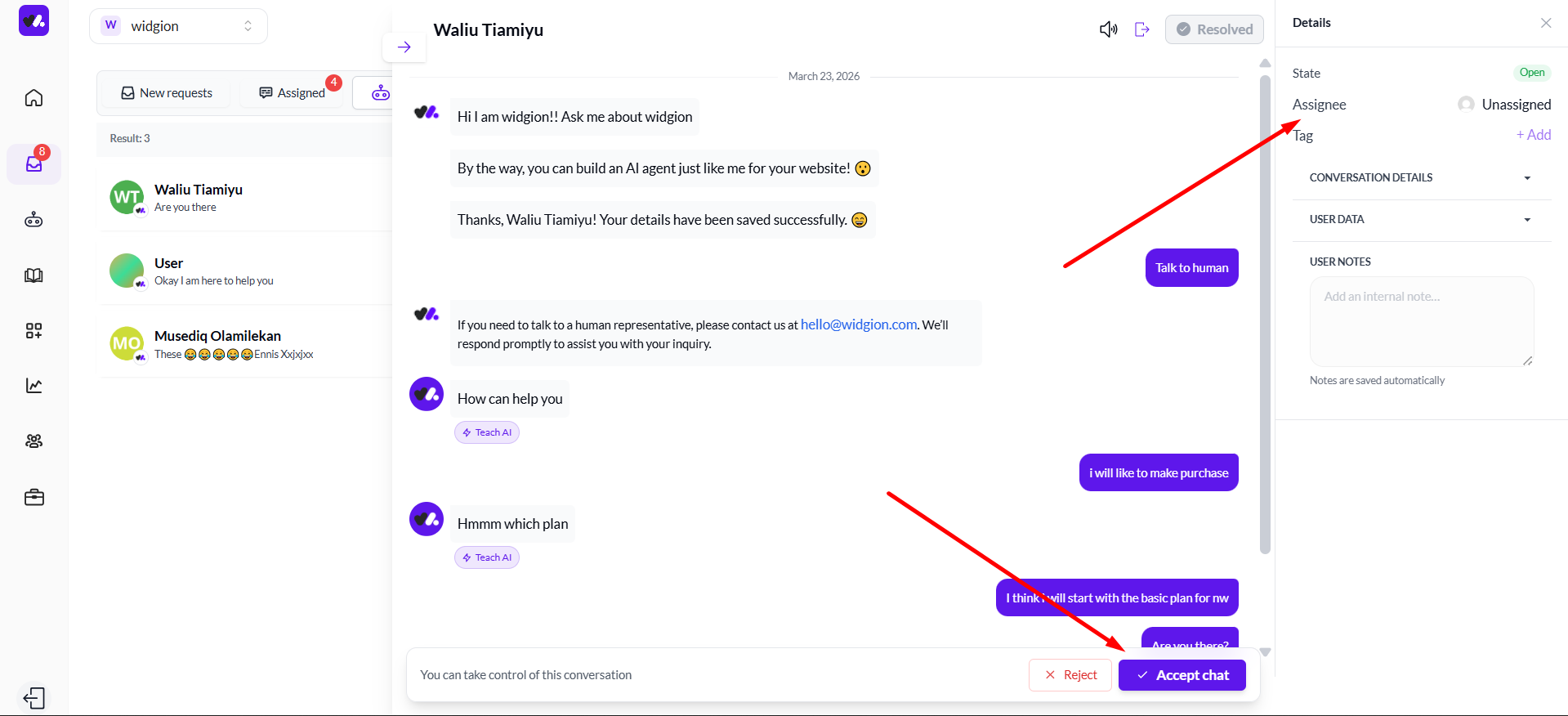
Click on any conversation in the list to open it. The full chat history will load in the center panel, and a Details panel will appear on the right showing the conversation's state, assignee, and tag. At this point, the Assignee field will show as Unassigned, meaning no team member has taken ownership of the conversation yet.
At the bottom of the chat, you'll also see the message "You can take control of this conversation" along with two options — Reject and Accept chat.
Accepting and Getting Assigned
To take ownership of a conversation, click Accept chat. The moment an agent accepts the chat, their name automatically appears in the Assignee field in the Details panel on the right. The conversation is now assigned to them and moves into the Assigned tab.
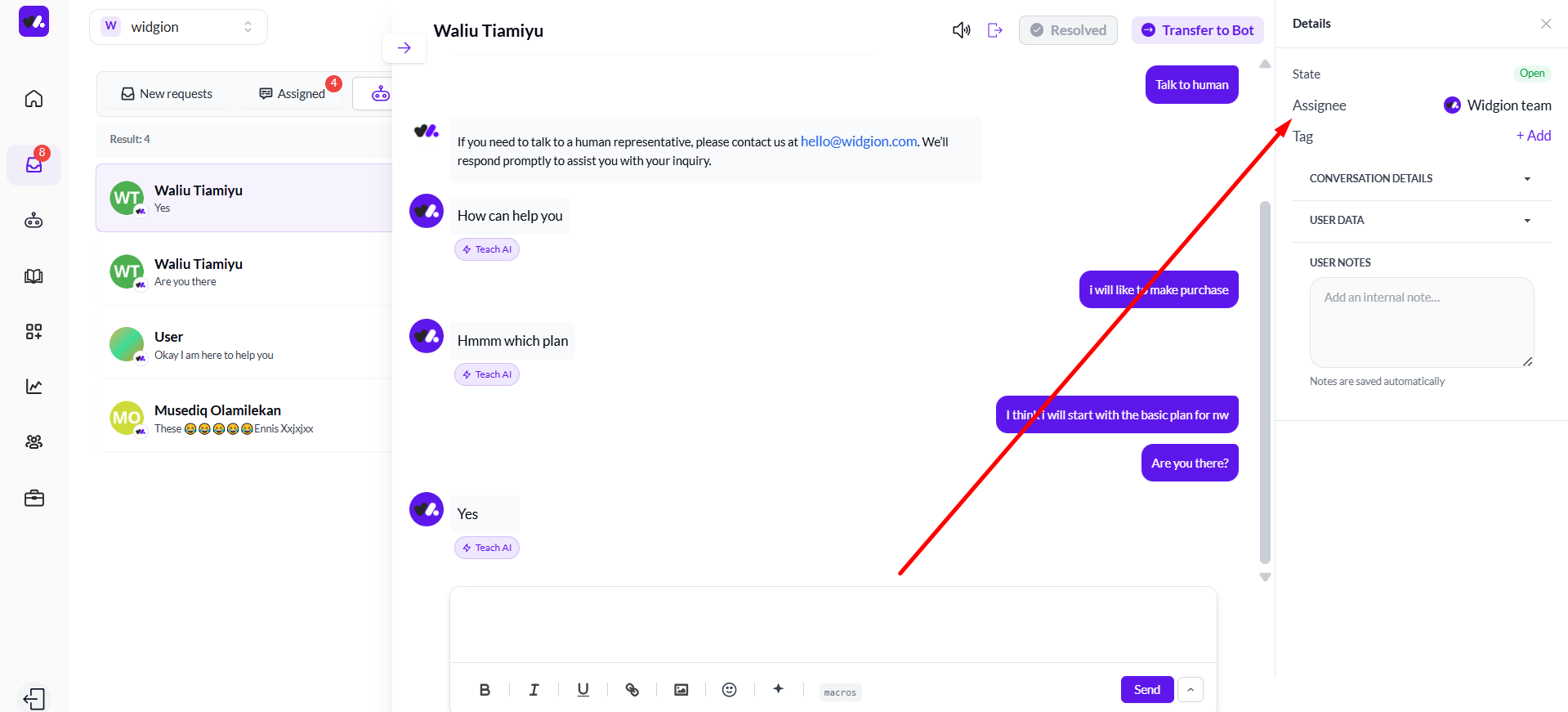
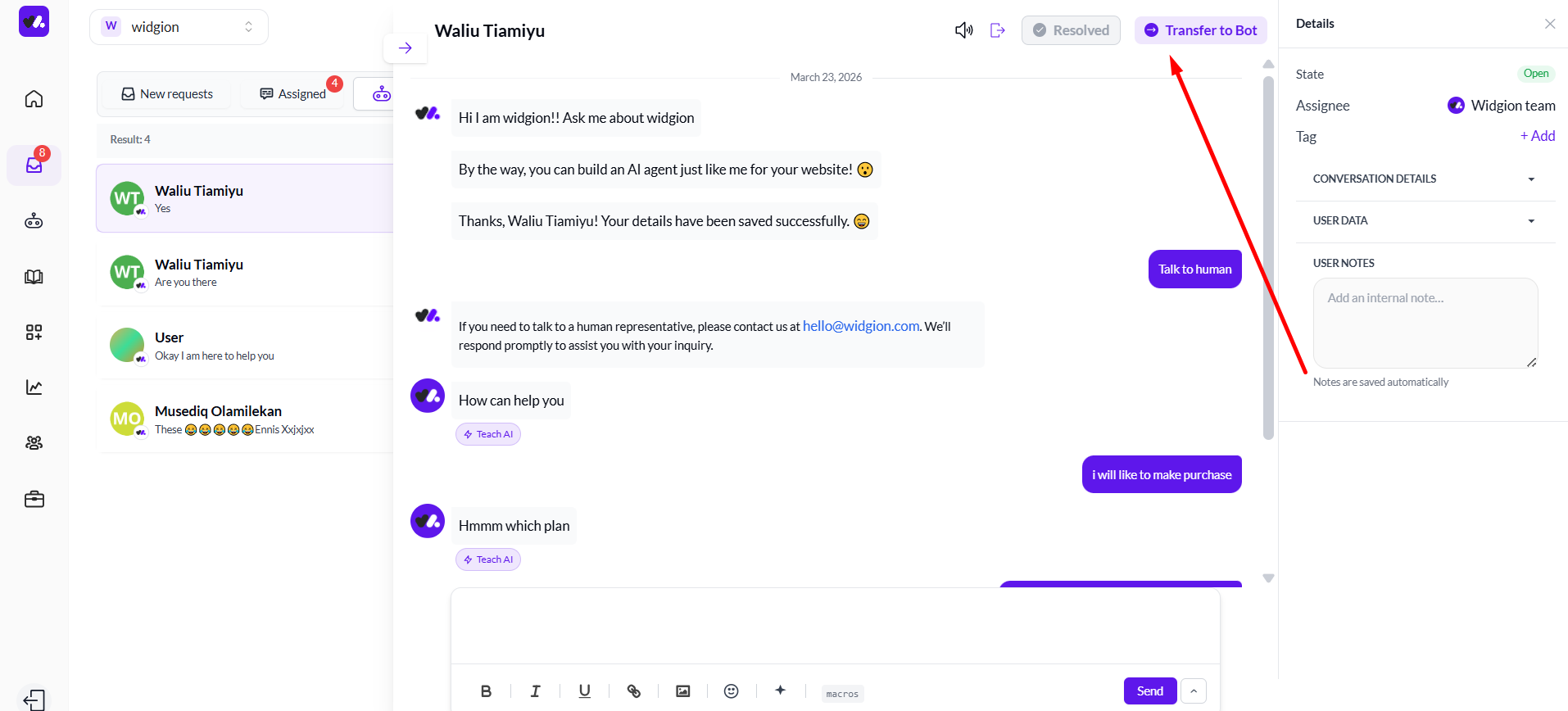
From here, the agent can respond to the visitor, add tags, leave internal notes under User Notes, and mark the conversation as Resolved when it's done. There is also a Transfer to Bot button at the top if the agent needs to hand the conversation back to the AI.
Keeping Your Team Organized
Assignments in Widgion happen naturally through the act of accepting a chat — there's no manual reassignment step needed. Each agent sees the same pool of open bot conversations and can pick up what needs handling.
This keeps your team responsive without requiring a manager to distribute chats manually, and ensures every conversation always has a clear owner.
Did this answer your question?
What was missing or unclear?
Thank you for your feedback!
Your input helps us make this article better.
Still need help?
Contact support →Related articles
Human Handover Explained
Understand when and how AI transfers conversations to human agents.
Viewing and Managing Conversations
Learn how to access, filter, and manage incoming chats.
Responding to Customers in Real-Time
Best practices for handling live conversations professionally.
Widgion + Calendly Integration Guide
Connect Widgion with Calendly to schedule meetings and capture bookings directly from chat.
On this page