
Human Handover Explained
Understand when and how AI transfers conversations to human agents.
Your AI assistant can handle a large volume of conversations on its own, but there will always be moments when a visitor needs to speak with a real person.
Widgion's Human Takeover feature lets you configure exactly when those transfers happen either automatically based on keywords a visitor uses, or whenever your team needs to step in. This is managed from Settings → Human Handover.
Accessing Human Handover Settings
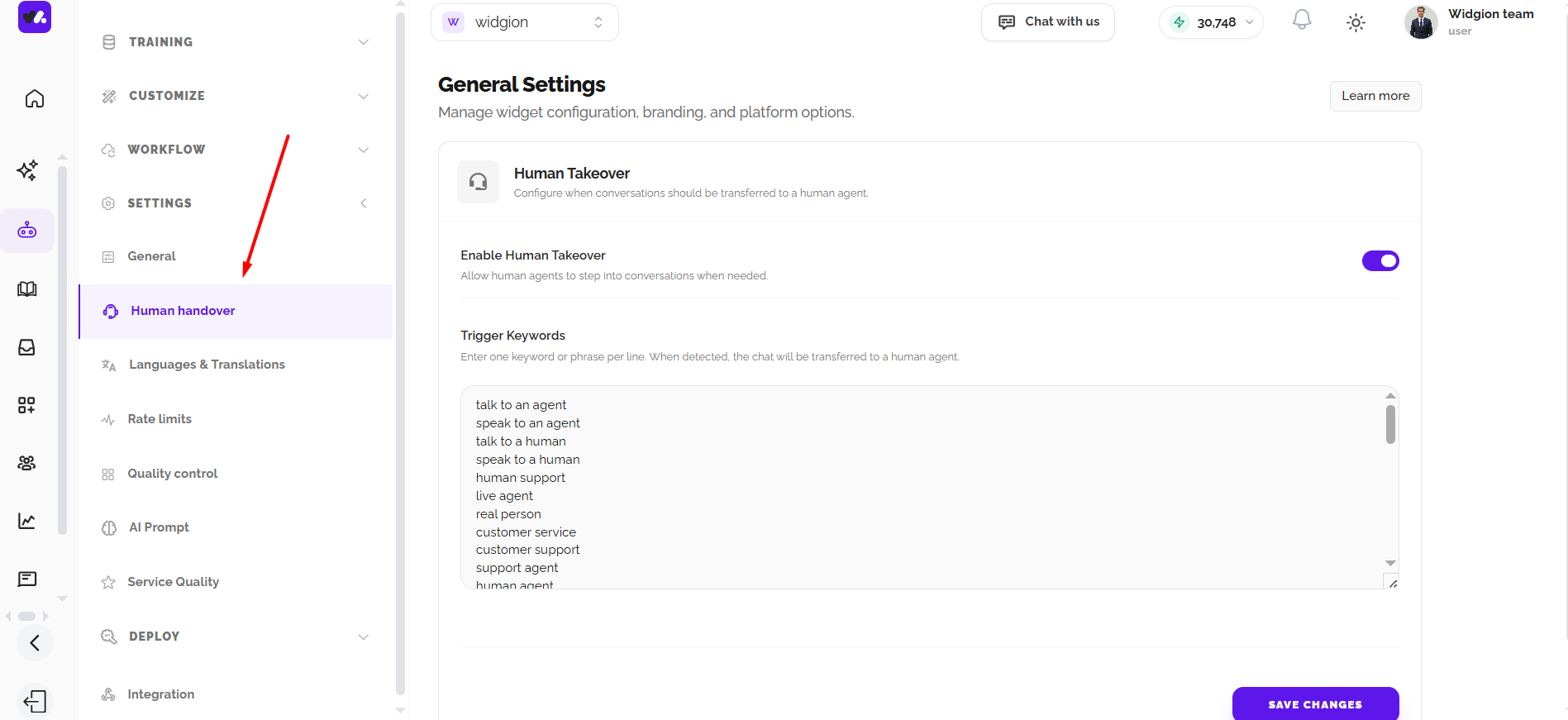
Navigate to Settings in the left sidebar and click Human Handover. This opens the General Settings page with the Human Takeover configuration section, where you can enable the feature and define the keywords that trigger a handover.
Enabling Human Takeover
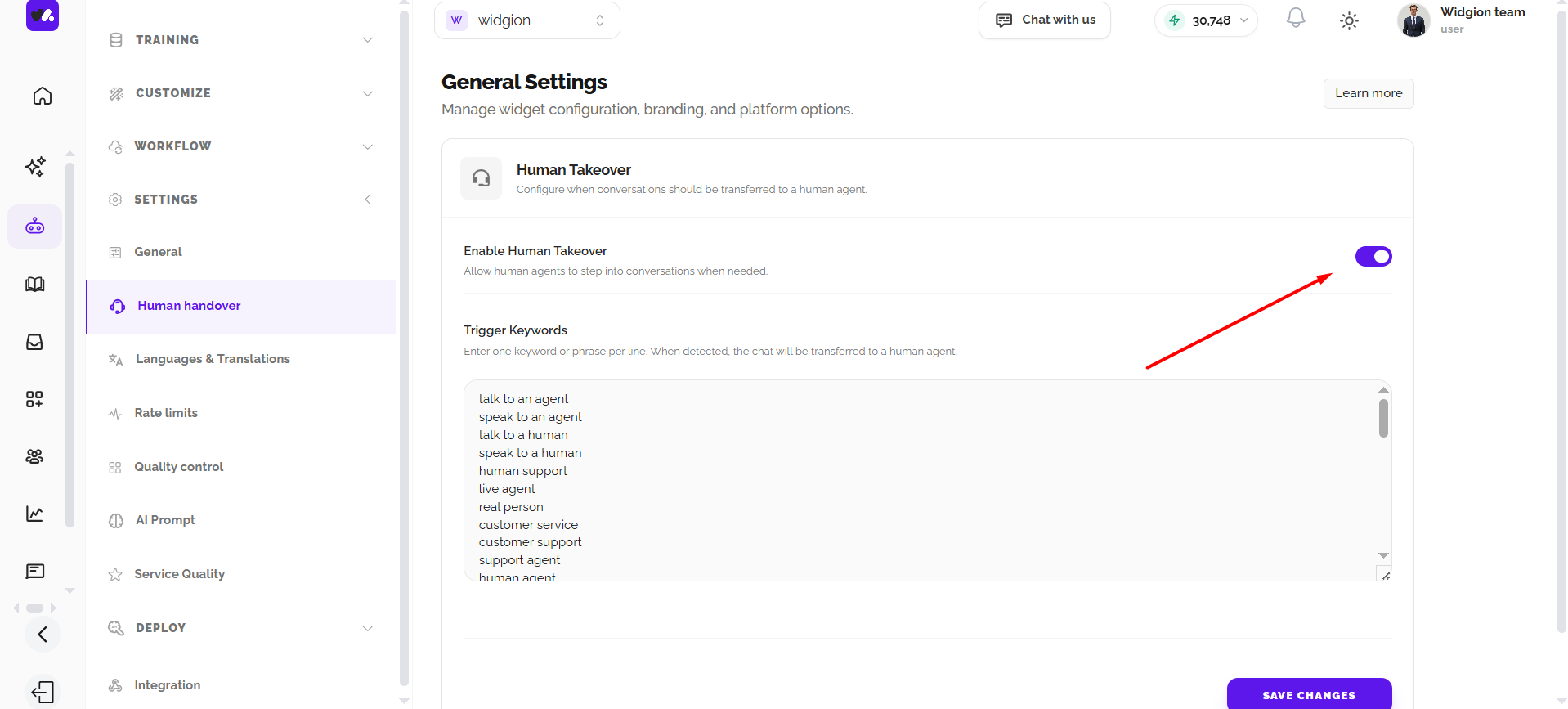
At the top of the Human Takeover section, you'll find the Enable Human Takeover toggle with the description "Allow human agents to step into conversations when needed." This toggle is enabled by default. If you ever need to turn off human handover entirely, simply click the toggle to disable it.
Setting Up Trigger Keywords
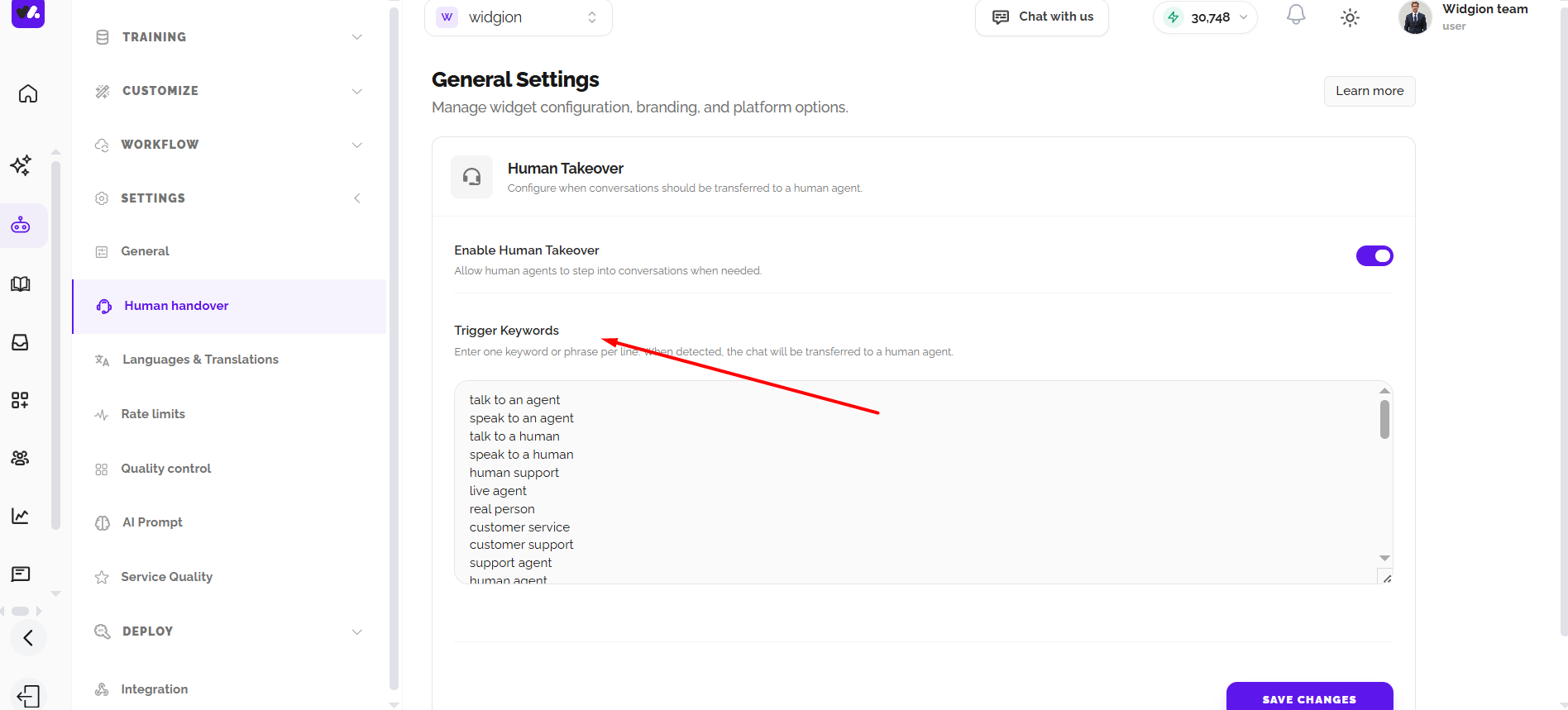
Below the toggle, you'll find the Trigger Keywords field. This is where you define the words or phrases that will automatically transfer a conversation from your AI assistant to a human agent the moment a visitor uses them. Enter one keyword or phrase per line.
Widgion comes with a set of default trigger keywords already in place, including phrases like "talk to an agent", "speak to an agent", "talk to a human", "speak to a human", "human support", "live agent", "real person", "customer service", "customer support", "support agent", "human agent." You can keep these as they are, add your own, or remove any that don't apply to your business.
Saving Your Configuration
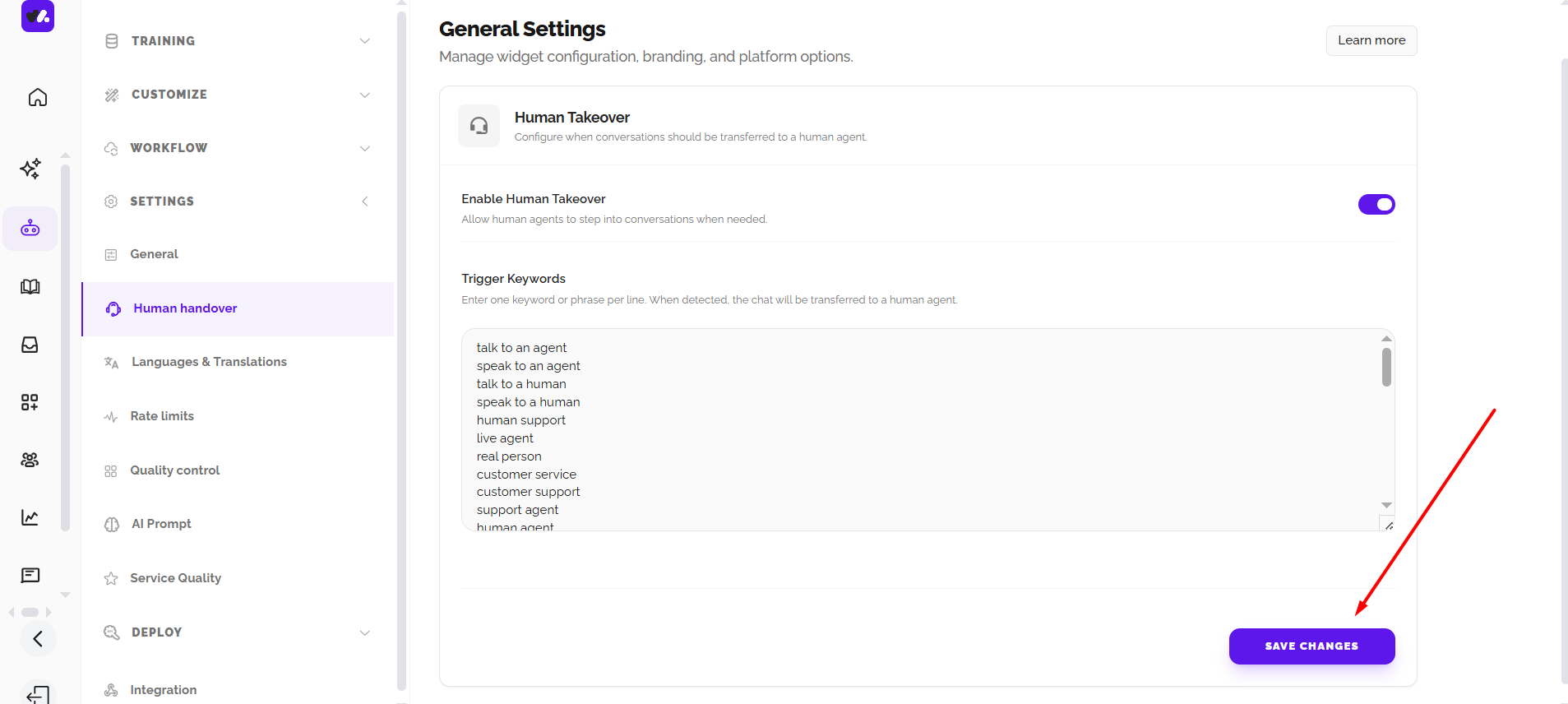
Once you've made your changes, click Save Changes at the bottom of the page to apply them. Your widget will immediately start monitoring conversations for the keywords you've defined and transfer them to a human agent when a match is detected.
AI First, Human When It Matters
Human handover is not a fallback, it's a feature. It means your AI handles the volume while your team focuses on the conversations that genuinely need a human touch.
By keeping your trigger keywords relevant and your Human Takeover toggle enabled, you ensure that no visitor ever gets stuck in a conversation the AI can't resolve.
Did this answer your question?
What was missing or unclear?
Thank you for your feedback!
Your input helps us make this article better.
Still need help?
Contact support →Related articles
Viewing and Managing Conversations
Learn how to access, filter, and manage incoming chats.
Responding to Customers in Real-Time
Best practices for handling live conversations professionally.
Adding, Editing, and Managing Contact Data
Handles actions like adding contacts, editing details, deleting, and exporting.
Understanding Contact Types (Users, Guests, and Custom Lists)
Explains the difference between Users, Guests, and Custom Lists, and how each is used within the platform.
On this page